Adjusting the Special Discount Terms on an Outstanding Voucher
-
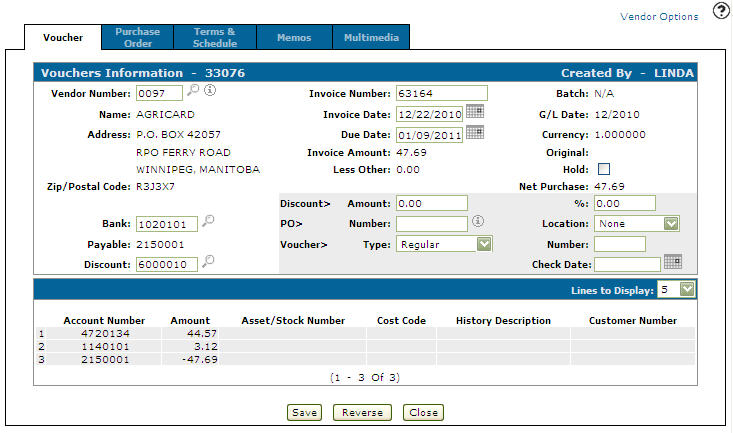
Navigate to the Vouchers Information tab.
-
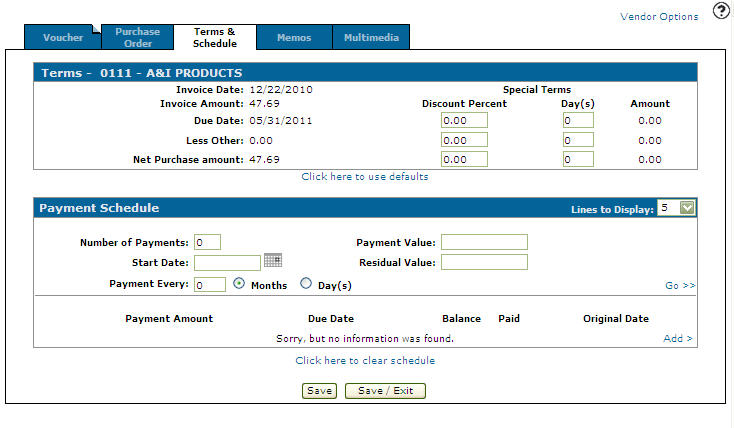
Click on the Terms & Schedule tab.
The Terms & Payment Schedule tab appears.
-
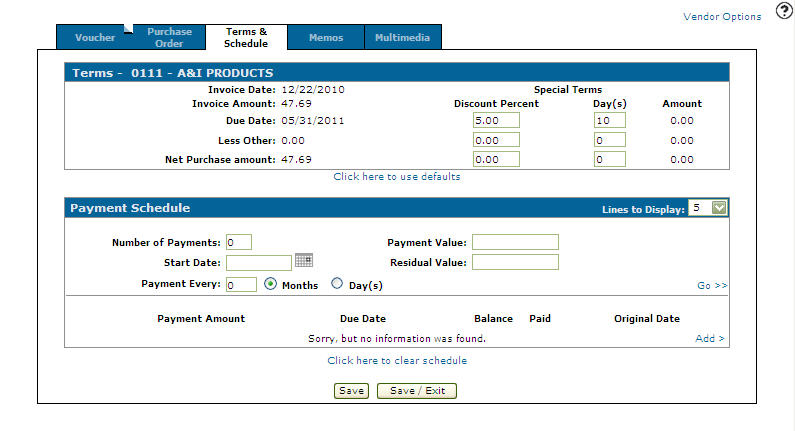
On the Terms & Payment Schedule tab, enter a Discount Percentage. The Discount Percentage is calculated on the net purchase amount (invoice amount minus other charges).
Note:
A Special Terms discount overrides a Fixed discount entered in the Discount field on the Vouchers Information tab. -
Enter the number of Days the special terms discount percentage will apply to the selected invoice.
-
Up to three special terms discounts can be add to the Terms section.
Select the Click here to use defaults link to change the payment terms back to the default setting
-
Click Save to apply the special discount terms to the voucher.
The system automatically calculates the Amount value. Net invoice amount, comprised of invoice amount minus discount. If a payment schedule exists, net invoice amount equals partial payment minus discount.
 Voucher Information tab