
Configuration: AGCO Plus
AGCO Plus (AGCO+) is AGCO's credit card program. IntelliDealer processes AGCO+ transactions through the FreedomPay gateway, similar to CNH Productivity Plus. Use the AGCO Plus screen to configure vendor cross references, location-level vendor monitoring, and product code mappings used when processing AGCO+ credit card transactions. These settings support parts invoicing, work orders, equipment invoicing, rental invoicing, and authorization maintenance when the cash code uses the AGCO Plus agency.
To open the AGCO Plus screen, navigate to Configuration > Interfaces > AGCO > AGCO Plus, then select the desired tab.
Topics in this section are:
For cash code, terminal, and client ID setup, see Cash Codes. For processing payments on an invoice, see A/R Agency - AGCO and Credit Card Processing Overview.
Vendors Tab
Data Source: PFWTAB
Use the Vendors tab to cross reference vendor numbers stored in IntelliDealer with vendor numbers accepted by AGCO Plus. Only vendors that have a cross reference can be included correctly in AGCO Plus credit card transactions. The same vendor cross references appear on the Vendors tab of Configuration: AGCO API.
 The AGCO Plus Vendors tab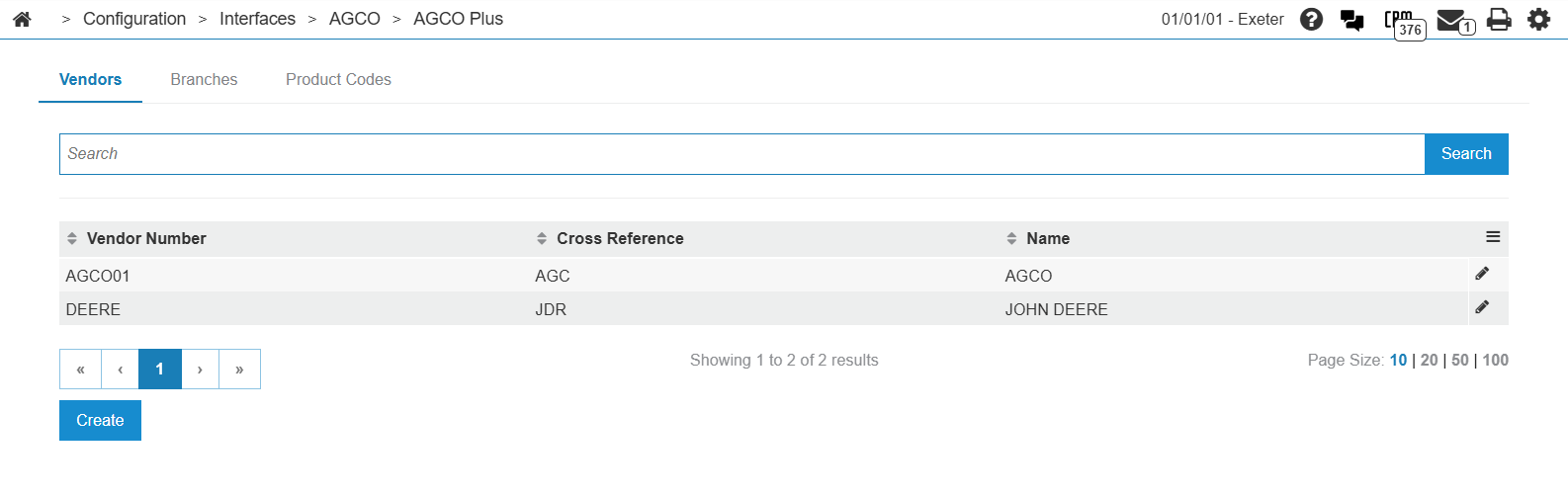
Fields on the Vendors tab are:
| Field | Description |
|---|---|
| Line | This field is system generated and is used to keep track of each cross-referenced vendor number. |
| Vendor Number | The vendor's ID number as it appears in IntelliDealer. |
| Cross Reference | The vendor's ID number as it appears in AGCO Plus. This number is provided by AGCO. |
| Name | The name of the vendor as it appears in the AGCO master vendor list. |
Click Create to add a vendor to the list.
Branches Tab
Data Source: PFWTAB
Use the Branches tab to configure which vendors at each location are monitored for AGCO Plus processing. The same branch settings appear on the Branches tab of Configuration: AGCO API.
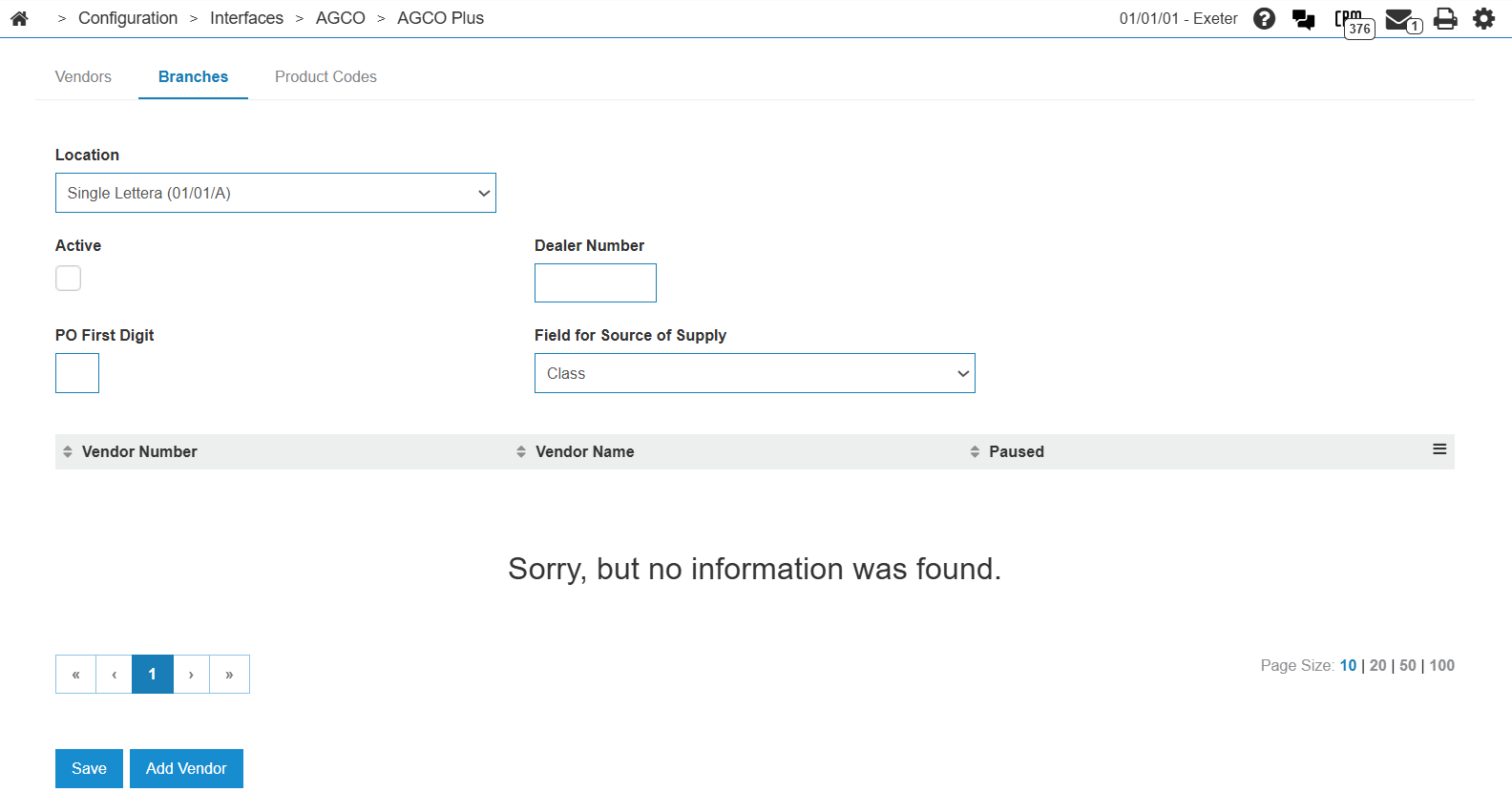
Sorting options on the Branches tab are:
| Field | Description |
|---|---|
| Location | The location you want to configure the vendors for. |
| Dealer Number | The AGCO dealer number for the selected location. |
| Active | If selected, denotes that the vendors listed for this location are monitored for AGCO Plus. |
| PO First Digit | The first digit that appears on AGCO Plus purchase orders for this location. |
| Field for Source of Supply | The field in which the dealership stores the source of supply. Options include Class, Source of Supply, and Stocking Type. |
Fields on the Branches tab are:
| Field | Description |
|---|---|
| Line | This field is system generated and is used to keep track of each of the branch's vendor numbers. |
| Vendor Number | The vendor's ID number as it appears in IntelliDealer. |
| Name | The vendor's name as it appears for AGCO Plus. |
| Paused | If selected, prevents parts from the selected vendor from being monitored for AGCO Plus at this location. |
Click Save to save the information on the Branches tab.
Click Add Vendor to add a vendor to the list for the selected location.
Product Codes Tab
Data Source: NACSMAP
Use the Product Codes tab to map IntelliDealer parts and miscellaneous charges to AGCO+ product codes. Product code mappings classify invoice line items when an AGCO+ credit card transaction is submitted to FreedomPay.
When a transaction is transmitted, the AGCO interface passes the part number, part source (productMake), and line category (productCode) for each item. Map parts and miscellaneous charges on this tab so each line is reported with the correct AGCO+ product code.
Note: Any part with a vendor of GL, or any miscellaneous charge that is not specifically mapped on this tab, defaults to product code 00149 (Other Miscellaneous Charges).
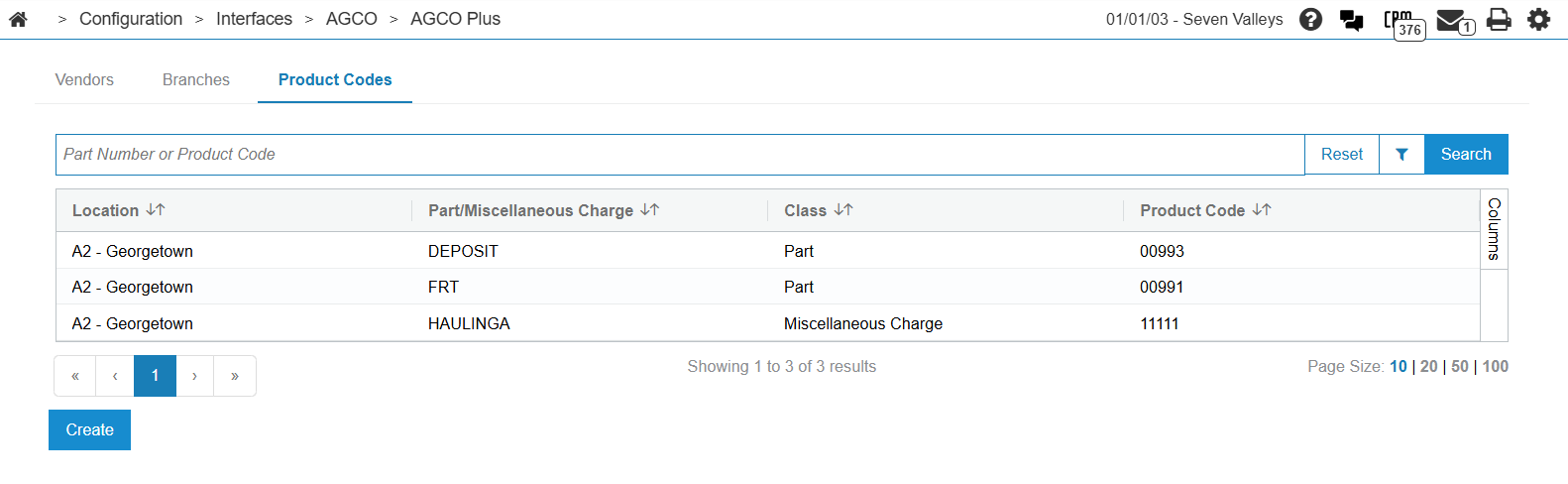
Sorting options on the Product Codes tab are:
| Field | Description |
|---|---|
| Part/Miscellaneous Charge | Sort the search results by part or miscellaneous charge. |
| Class | Sort the search results by class. |
| Location | Sort the search results by location. |
| Product Code | Sort the search results by product code. |
Search fields on the Product Codes tab are:
| Field | Description |
|---|---|
| Select Part/Miscellaneous Charge | Search for mappings by entering a part or miscellaneous charge. |
| Select Class | Search for mappings by entering a class (for example, part or miscellaneous charge). |
| Select Location | Search for mappings by entering a location. |
| Select Product Code | Search for mappings by entering a product code. |
Fields on the Product Codes tab are:
| Field | Description |
|---|---|
| Part/Miscellaneous Charge | The part number or miscellaneous charge that is being mapped to the AGCO Plus product code. |
| Class | Indicates whether the AGCO Plus product code is being mapped to a part or miscellaneous charge. |
| Location | The location where the AGCO Plus mapping applies. |
| Product Code | The AGCO+ product code that is being mapped to the part or miscellaneous charge. See Supported Product Codes. |
Click a Part/Miscellaneous Charge to edit an existing mapping.
Click Create to add a new mapping.
Supported Product Codes
The AGCO+ credit card interface supports these product codes:
| Product Code | Description |
|---|---|
| AGC | AGCO parts (productMake). |
| AL | AGCO brand parts (productMake). |
| GEN | Generic parts (productMake). |
| 00143 | Inside Labor. |
| 00144 | Outside Labor. |
| 00146 | Lease/Rental. |
| 00149 | Other Miscellaneous Charges. Used as the default for unmapped GL vendor parts and unmapped miscellaneous charges. |
| 00400 | General Merchandise. |
| 00900 | Discounts. |
| 00950 | Taxes. |
| 00993 | Balance Transfer. |
| 02102 | Maintenance Agreement. |
Transaction Scenarios
AGCO+ product codes are used across these transaction scenarios (scenarioCode):
| Scenario Code | Description |
|---|---|
| 1 | Parts Sale. |
| 2 | Service Sale. |
| 3 | Whole Goods. |
| 4 | Lease/Rental. |
| 5 | Other (OAP, Balance Transfer, Trade Show/Special Event). |
Data Source: PFWTAB, NACSMAP
Feature: 6306 - AGCO Plus
Security: 999 - Configuration
Revision: 2026.08