
Kubota IKQ: Users
Note: This is an interface developed by VitalEdge for the IntelliDealer business system. VitalEdge is provided credential information and relevant data from the OEM to create and support this interface between IntelliDealer and application/systems provided by the OEM. Technical details within this document pertain ONLY to VitalEdge' side of this integration. If you need information relating to the specific OEM's application/system associated with this interface, please contact the OEM.
Use the Users tab to review assigned users and create new User entries.
To open the Users tab, navigate to Configuration > Interfaces > Kubota > IKQ > Users.
You can search by Username in the search field. The results fields are:
| Field | Description |
|---|---|
| User Name | The user on the vendor profile. |
| Roles | The role the user has been assigned to. Multiple roles can be assigned if needed. |
To create a new user entry, click Create.
 New User window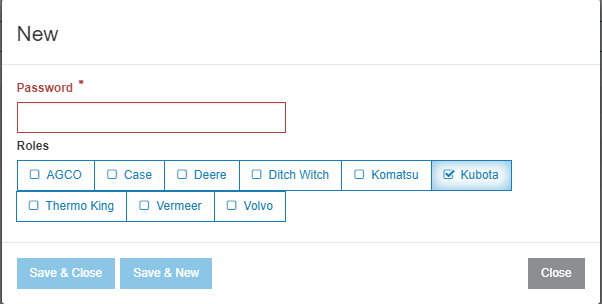
Use information provided by Kubota to complete the Password field. You can also define user Roles using the OEM labeled checkboxes.