
Polaris Vehicle Lookup
Use the Polaris Vehicle Lookup interface to view vehicle specifications, service bulletins, warranty claims, and additional media (owner manuals, product compliance certificates, etc) about Polaris vehicles. You can search for vehicles using a 17-digit Polaris VIN or an Employee Number. The default search VIN is populated as the Machine Serial Number of the equipment. Technicians that need to work on Polaris units can find links for service/safety bulletins, owner manuals and service manuals.
You can access this screen by clicking the Polaris Vehicle Lookup button on any one of these screens: Equipment Profile, Work Order: Segments and Work Order Quotes.
Note: The interface only displays data exactly as it is returned by Polaris' API. You cannot edit or delete any of the data shown.
Topics in this section are:
Search Screen
You can choose to search either by VIN or by employee number. The default search parameter is VIN, and the default value is the Machine Serial Number from the equipment profile linked from. The results of the search are shown in a listing screen. If only one result is available, the details for that vehicle are instantly be shown, bypassing the listing screen.
 Search Result Example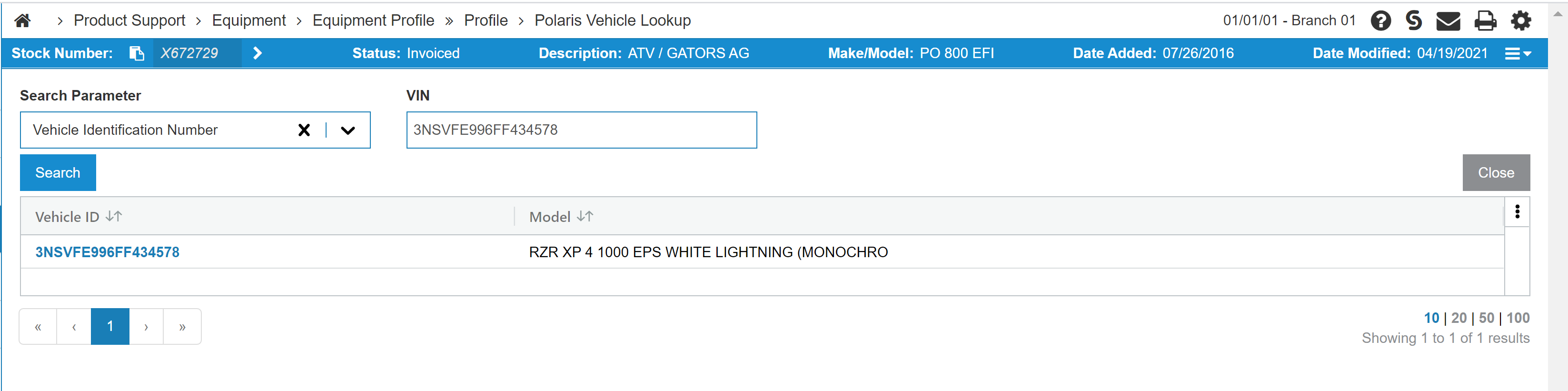
Click a Vehicle ID link to show tabs with Vehicle Specs, Bulletins, Warranty Claims and Additional Media information.
Vehicle Specs Tab
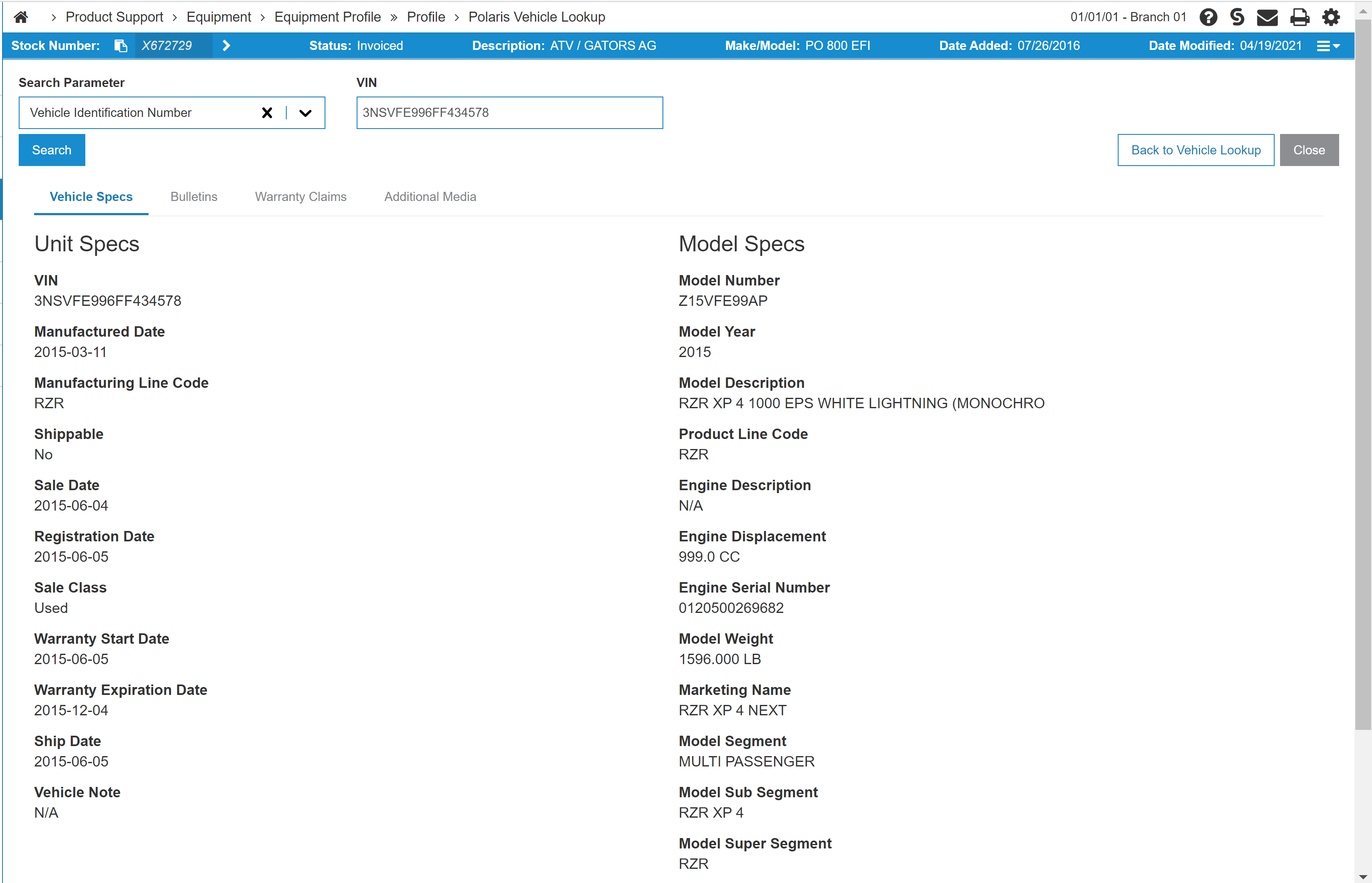
The Vehicle Specs tab lists details about the unit and its model, retrieved from Polaris.
Bulletins Tab
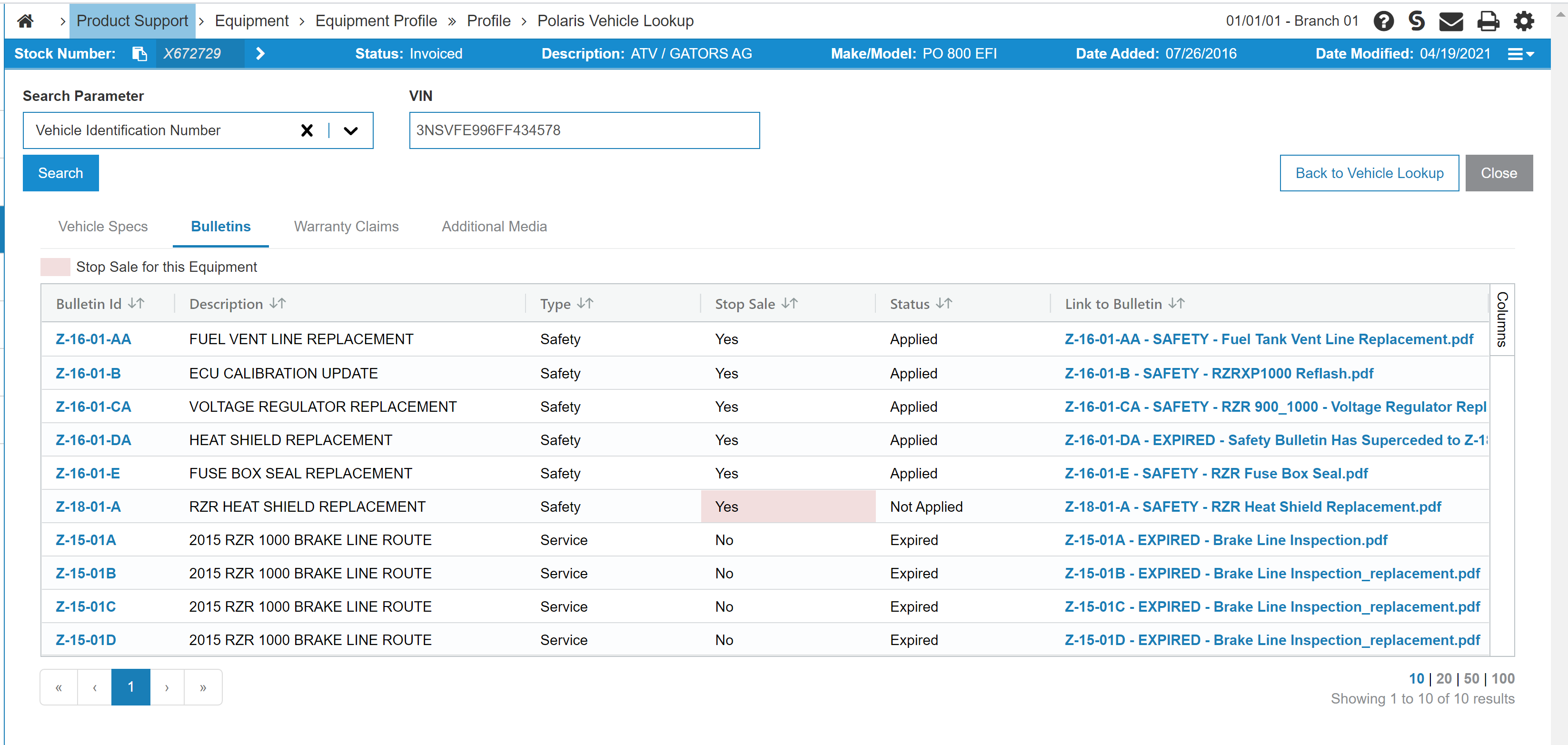
The Bulletins tab lists Service and Safety bulletins that have been issued for this piece of equipment, and the status of the bulletin on this particular unit (whether it's been applied). A link to the bulletin is also provided.
If the bulletin is a safety bulletin, the Stop Sale is true, and the status is "Not Applied", then the Stop Sale field is highlighted red to inform the user that this equipment cannot be sold until the work issued in the bulletin has been applied.
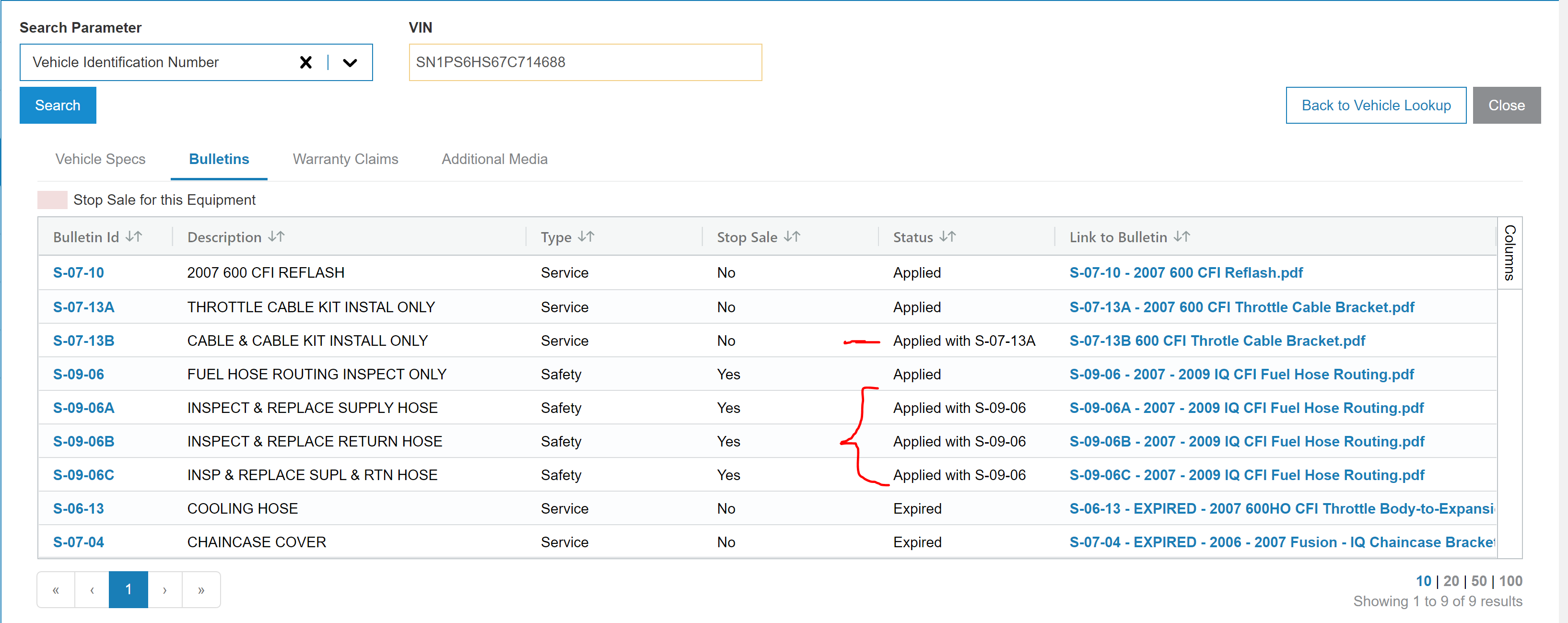
Sometimes completion requirements for a bulletin is to apply another bulletin. In this case, the status is set to "Applied with ____", where the bulletin ID of the related bulletin is listed.
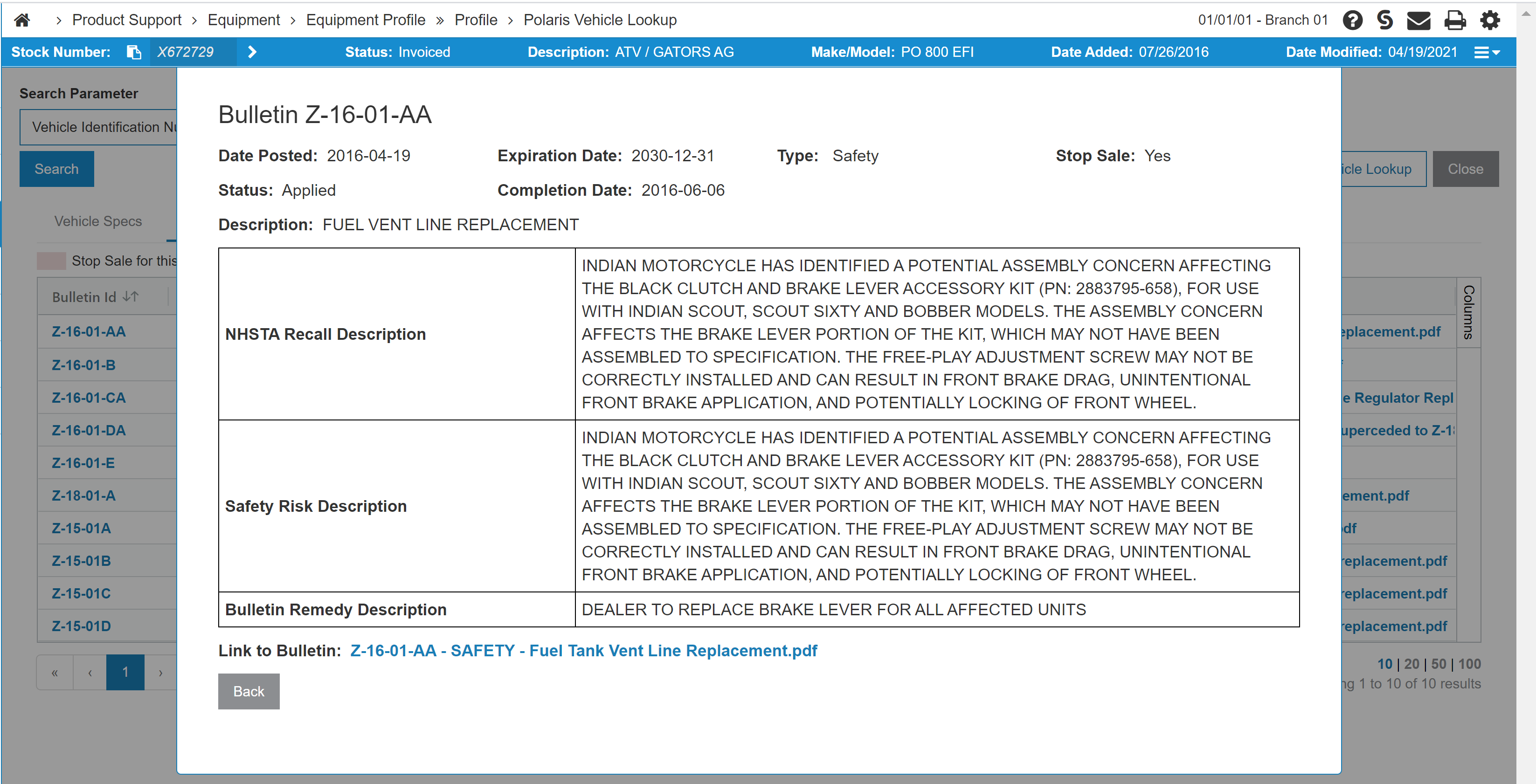
Click the Bulletin Id, top open a modal showing additional details about the bulletin.
Warranty Claims Tab
The Warranty Claims tab shows any warranty claims issued for this unit.

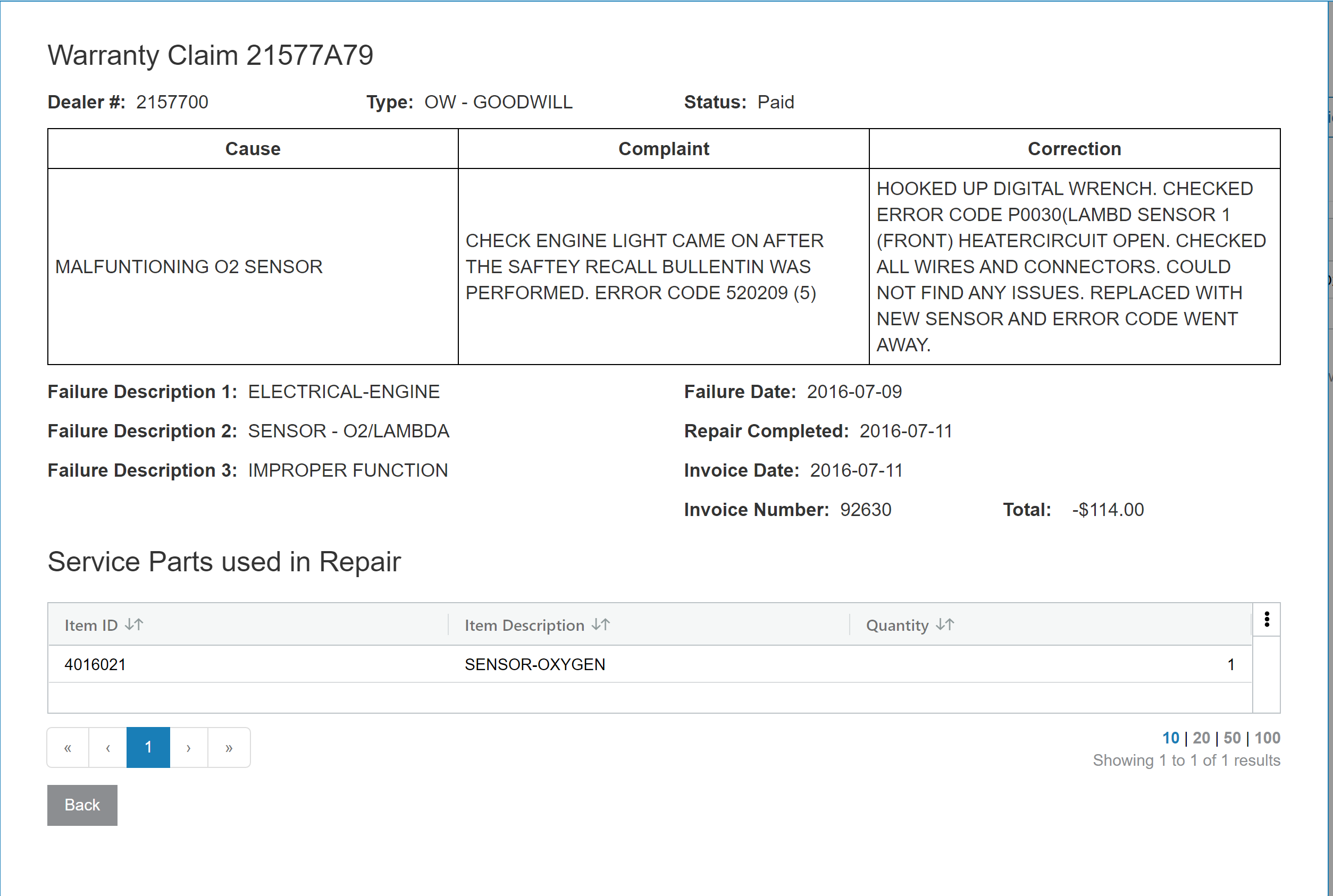
Click a Claim # to display more details about the claim and information about service parts used in the repair.
Additional Media Tab
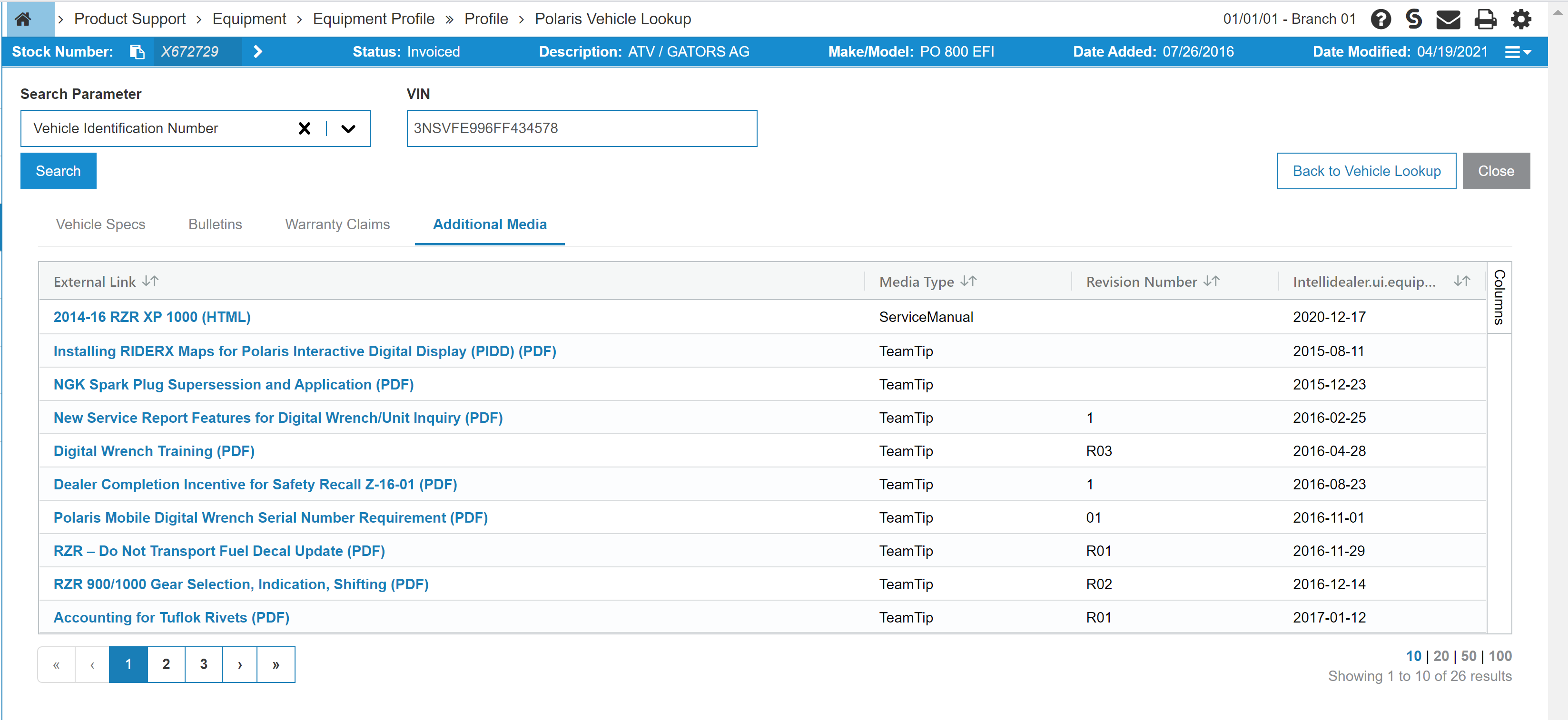
The Additional Media tab displays additional documents Polaris has available pertaining to this unit. These typically include service manuals, owner manuals, and team tips. Links to the documents are provided in the grid.
Feature: 6408
Revision: 2025.11