
CNH: SRT Codes Lookup
This interface retrieves CNH Standard Repair Time (SRT) job code data on a real-time basis when you provide the Vehicle Identification Number (VIN). Use it to view SRT code details—including description, timesheet, model, and product line—when creating a work order repair or quote. The data is sourced from the CNH Smart Basket system through the CNH Data Exchange Program.
Prerequisites: You must be licensed for feature 6429—CNH Data Exchange Platform and have configured the CNH: Data Exchange Platform. To overwrite existing job code hours with CNH SRT hours during import, select Update Existing Job Code Hours with CNH SRT Hours on the CNH Data Exchange Platform Main tab.
Topics in this section include:
Searching for Job Codes
-
You can access CNH SRT Job Codes from one of these locations:
-
Product Support > Service > CNH SRT Job Codes—use this menu to search and view SRT operations. Import is not available from this menu.
-
From an existing Work Order:
-
Navigate to Product Support > Service > Work Orders and open a work order.
-
Click the Segment tab.
The Segments tab opens.
-
Click the Work Order Options link located at the top left.
-
From the list, choose CNH SRT Job Codes.
-
-
From an existing Work Order Quote:
-
Navigate to Product Support > Service > Work Order Quoting and open a work order quote.
-
Click the Details tab.
The Details tab opens.
-
Click the Quote Options link located at the top left.
-
From the list, choose CNH SRT Job Codes.
-
-
-
Select your search parameters:
-
VIN—a valid Vehicle Identification Number. Selecting this search parameter also requires you to select an option from these drop-down lists. Each list loads after you select the prior option:
-
Group Id
-
Sub Group Id
-
Sub Sub Group Id
-
-
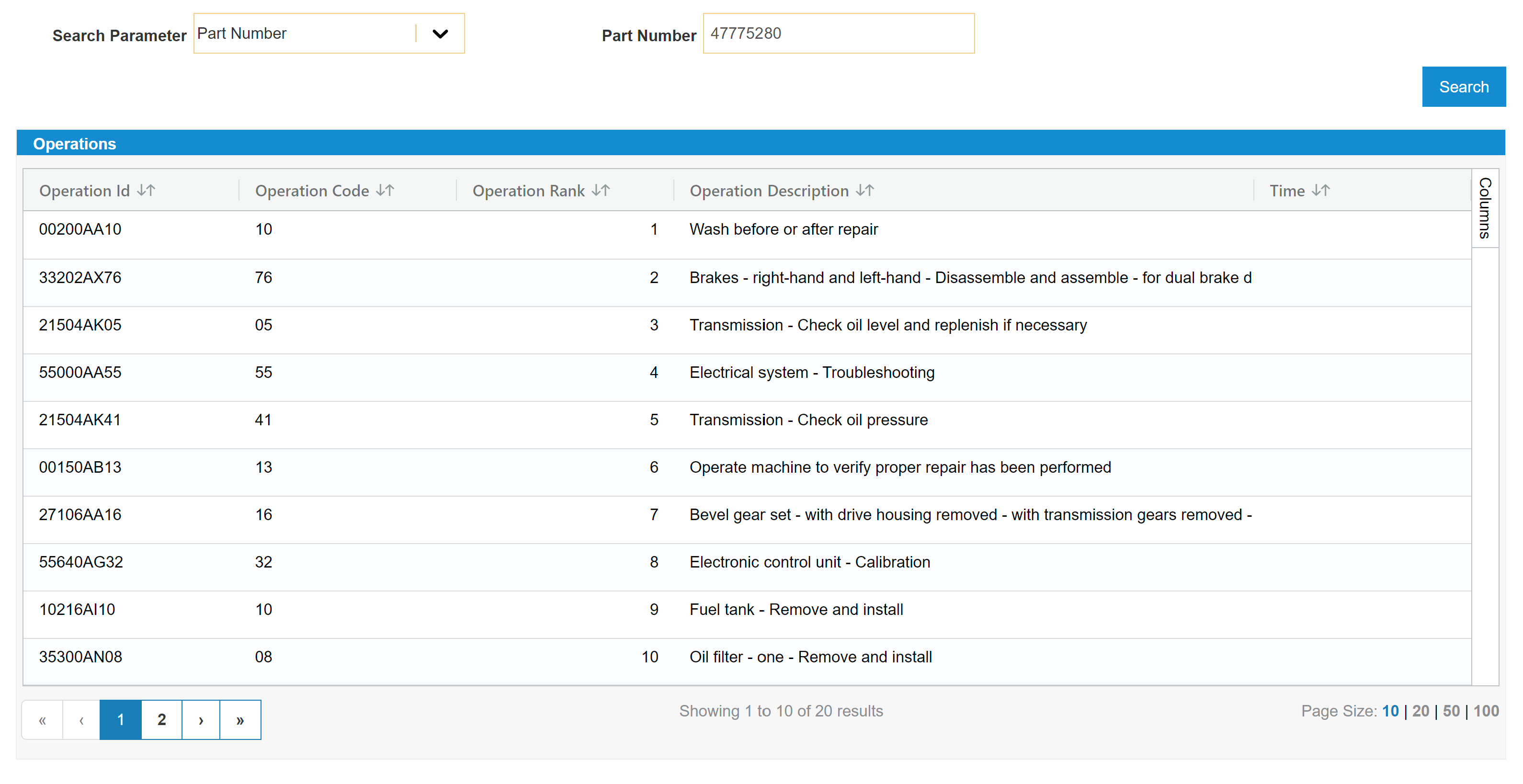
Part Number—the part number that is to be repaired. This search retrieves the top 20 ranks of the valid search results.
-
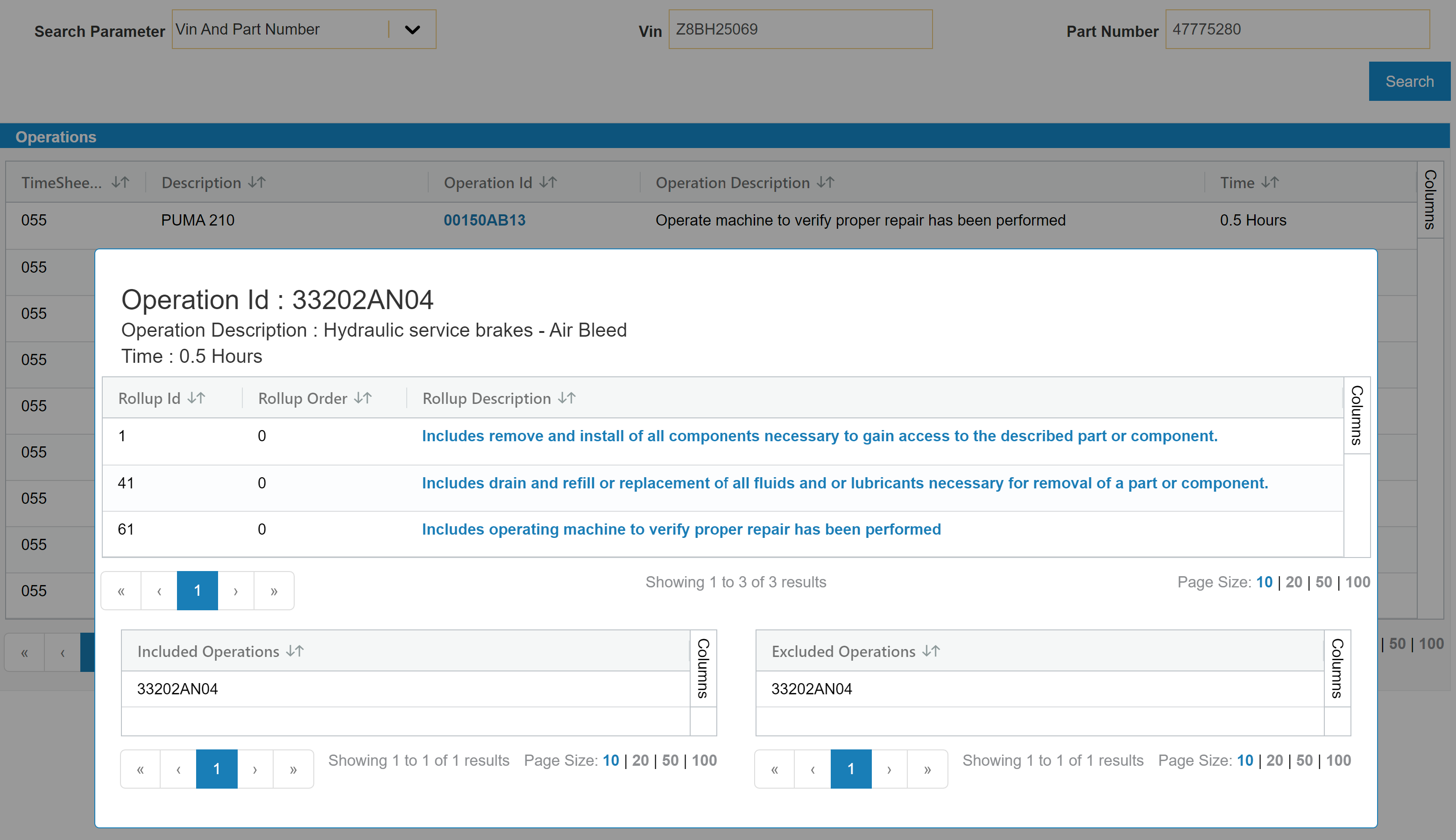
VIN and Part Number—use both to narrow the search further. This search displays results related to the part number along with the included and excluded operations.
-
-
Once all the drop-down fields are selected, a table is loaded with all the operations in it. Click an Operation Id link to view additional operation details, including time and description.
 VIN search parameter
Importing SRT Job Codes
Use this procedure to import CNH SRT job codes into a Work Order or Work Order Quote. The process is the same for both systems.
-
Open the Work Order or Work Order Quote to which you want to import SRT jobs.
-
Open CNH SRT Job Codes from Work Order Options or Quote Options, as described in Searching for Job Codes.
The search window is auto-populated with the serial number of the unit on the work order or quote into the VIN after you select either VIN or VIN and Part Number as your search parameter.
If the serial number cannot be located in the CNH system, an error is displayed at the top of the screen.
-
Search for the SRT operations you want to import, as described in Searching for Job Codes.
-
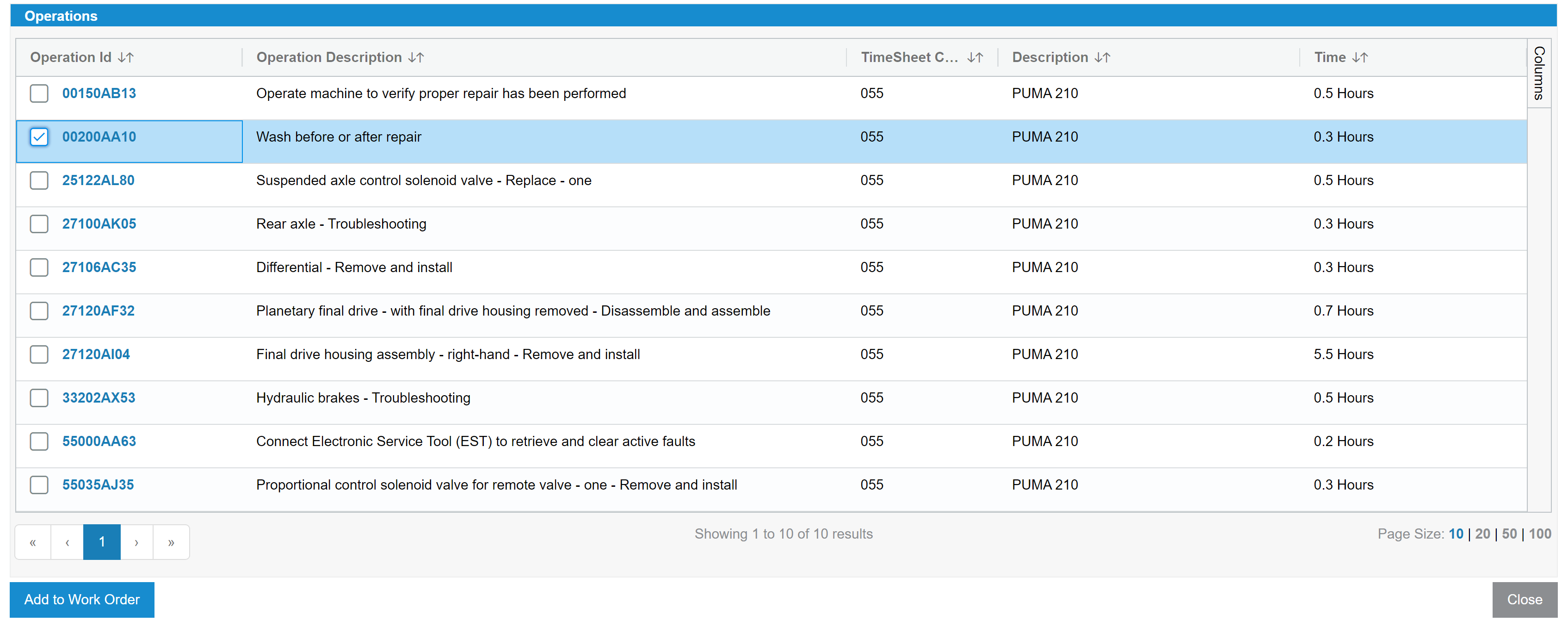
Select one or more operations in the operations list, then click Add to Basket.
To queue operations from more than one group navigation, change the Group Id, Sub Group Id, or Sub Sub Group Id selection, search again if required, select additional operations, and click Add to Basket again. Your basket selections are kept while you browse other groups.
-
Review the queued operations and total labor hours in the SRT Basket panel.
-
Click Add to Work Order or Add to Quote to import all basketed operations into the open Work Order or Work Order Quote.
-
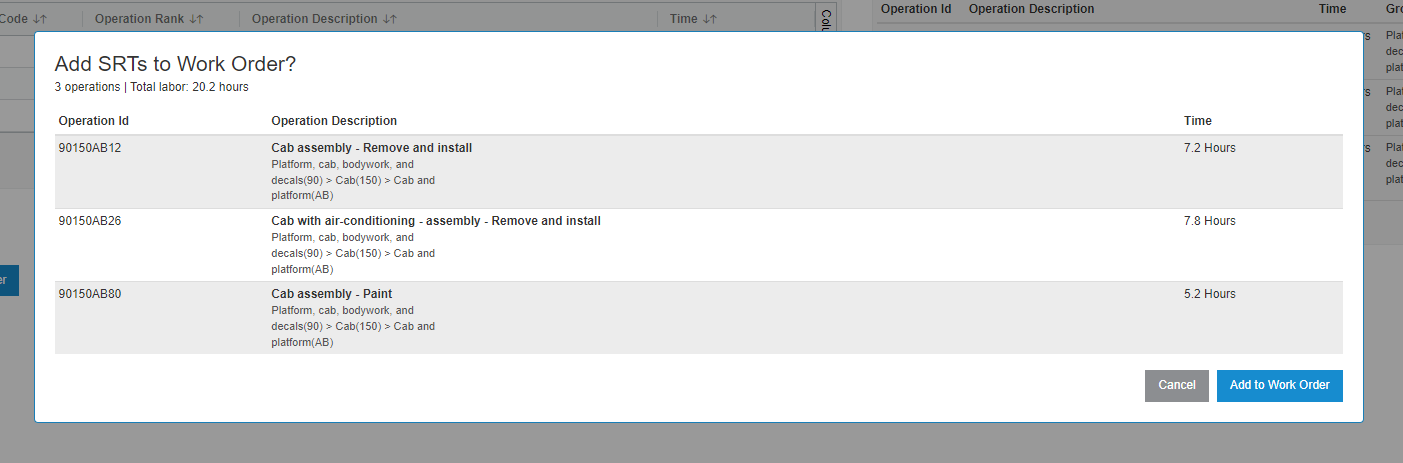
Review the Add SRTs to Work Order? or Add SRTs to Work Order Quote? confirmation summary, then confirm the import.
The imported job codes are now visible under Product Support > Service > Job Codes.
Tip: Review the confirmation summary before you import to verify the selected operations and total labor hours, especially when you queued operations from multiple group navigations.
Screen Description
The CNH SRT Job Codes screen is used to search CNH SRT operations and, when opened from a Work Order or Work Order Quote, to import selected operations as job codes. When opened from a Work Order or Work Order Quote, the screen opens in a pop-up window and includes the SRT Basket for queuing operations before import.
The fields on the CNH SRT Job Codes screen are:
| Field | Description |
|---|---|
| Work Order context line | Displayed when the screen is opened from a Work Order or Work Order Quote. Shows the work order or quote number, segment number, and VIN for the import. |
| Search Parameter | Select VIN, Part Number, or VIN and Part Number to determine which search fields are displayed. |
| VIN | The Vehicle Identification Number to search. Displayed when Search Parameter is VIN or VIN and Part Number. |
| Part Number | The part number to search. Displayed when Search Parameter is Part Number or VIN and Part Number. |
| Search | Runs the search using the selected parameter and entered values. |
| Group Id | Displayed for a VIN search after you click Search. Each group drop-down loads after you select the prior option. |
| Sub Group Id | Displayed after you select a Group Id value. |
| Sub Sub Group Id | Displayed after you select a Sub Group Id value. Selecting a value loads the operations list. |
| Operations | Lists the SRT operations returned by the search. Columns include Operation Id, Operation Description, and Time. Click an Operation Id link to view additional operation details. When opened from a Work Order or Work Order Quote, use the row checkboxes to select operations for the basket. |
| SRT Basket | Displayed when the screen is opened from a Work Order or Work Order Quote. Lists queued operations with Operation Id, Operation Description, Time, and Group Path. The basket footer shows total labor hours. Use Clear Basket or the row remove control to remove operations. Basket selections are kept while you browse other groups. |
The buttons on the CNH SRT Job Codes screen are:
| Button | Description |
|---|---|
| Add to Basket | Displayed when the screen is opened from a Work Order or Work Order Quote. Adds the selected operations to the SRT Basket without importing them. Use this button to queue operations while you browse other group navigations. |
| Add to Work Order | Displayed when the screen is opened from a Work Order. Imports all operations currently in the SRT Basket into the open work order segment. This button is disabled until at least one operation is in the basket. A confirmation summary is displayed before import. |
| Add to Quote | Displayed when the screen is opened from a Work Order Quote. Imports all operations currently in the SRT Basket into the open quote. This button is disabled until at least one operation is in the basket. A confirmation summary is displayed before import. |
| Close | Closes the pop-up window without importing basketed operations. |
Note: Add to Basket queues operations for review. Add to Work Order and Add to Quote import all queued operations into the Work Order or Work Order Quote. If you try to add an operation that is already in the basket, an error message is displayed and the duplicate operation is not added again.
Feature: 6429, CNH Data Exchange Platform
Revision: 2026.09