
Komatsu: Warranty Claim Search
This feature is currently in beta.
Use the Komatsu Warranty Claim Search screen to search warranty claims submitted to Komatsu and review claim status and amounts returned by the Komatsu Machine Warranty API.
Configure the interface on Configuration > Interfaces > Komatsu > Warranty before you use claim search. See also Komatsu: Warranty Claim Submission.
To access claim search, navigate to Product Support > Service > Komatsu Warranty Claim Search.
 Komatsu Warranty Claim listing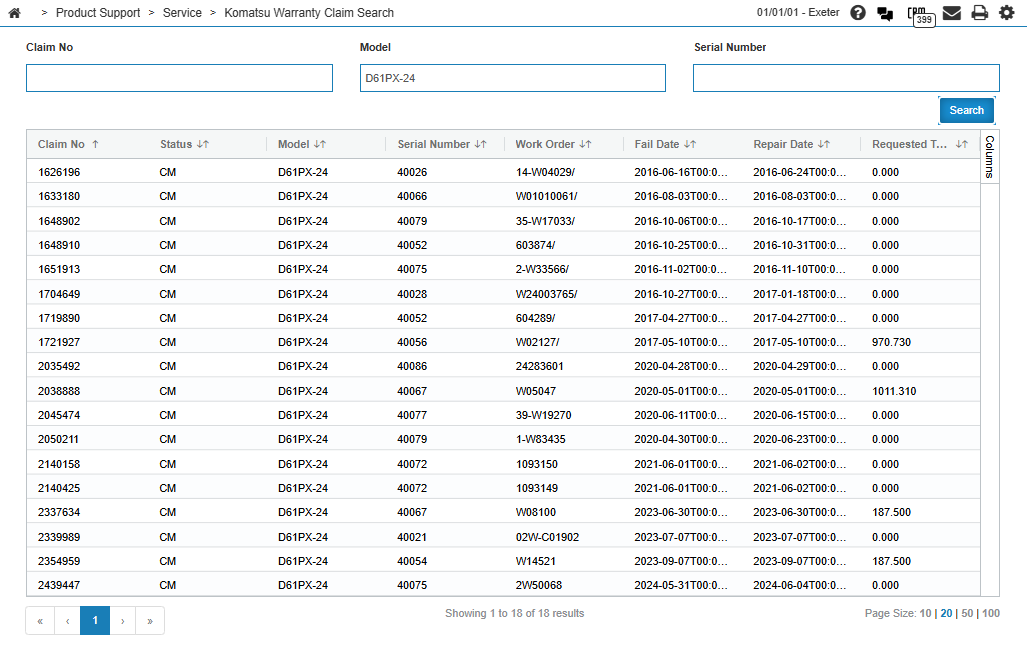
Search Fields
Enter one or more search values, then click Search. At least one of Claim No, Model, or Serial Number is required.
| Field | Description |
|---|---|
| Claim No | The Komatsu claim number. |
| Model | The machine model. |
| Serial Number | The machine serial number. |
Search Results
Matching claims appear in the listing grid. The columns are:
| Column | Description |
|---|---|
| Claim No | The Komatsu claim number. |
| Status | The claim status returned by Komatsu. |
| Model | The machine model. |
| Serial Number | The machine serial number. |
| Work Order | The work order number associated with the claim, when provided by Komatsu. |
| Fail Date | The failure date on the claim. |
| Repair Date | The repair date on the claim. |
| Requested Total | The total amount requested on the claim. |
Claim Details
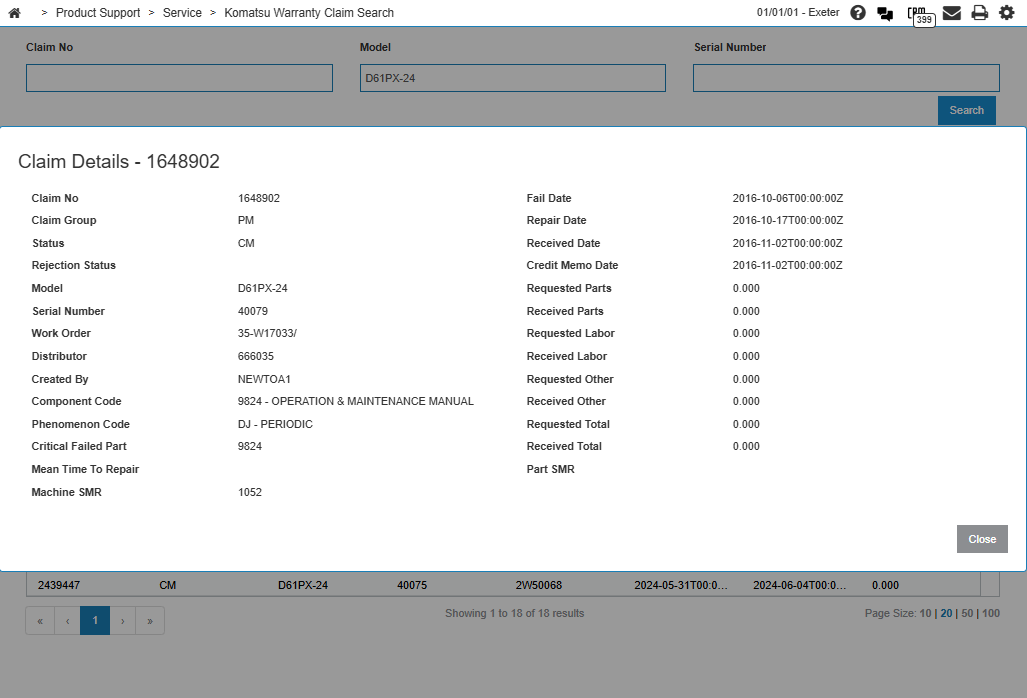
Click a row in the listing to open the Claim Details window. The detail view shows additional Komatsu claim information, including claim group, rejection status, distributor, component and phenomenon codes, machine SMR, received and credit memo dates, and requested and received part, labor, and misc charge amounts.
Feature: 6437
Revision: 2026.09