
Configuration: Payworks Import
Use the Payworks Import screen to configure the Payworks Voucher Import tool. Once configured you can use the tool to to import a Payworks cheque-run journal entry into IntelliDealer as an accounts payable Voucher. See Payworks Import.
Prerequisites: You must have configured G/L default accounts on the G/L Defaults screen.
To access the Payworks Import configuration, navigate to Configuration > Interfaces > Other > Payworks Import.
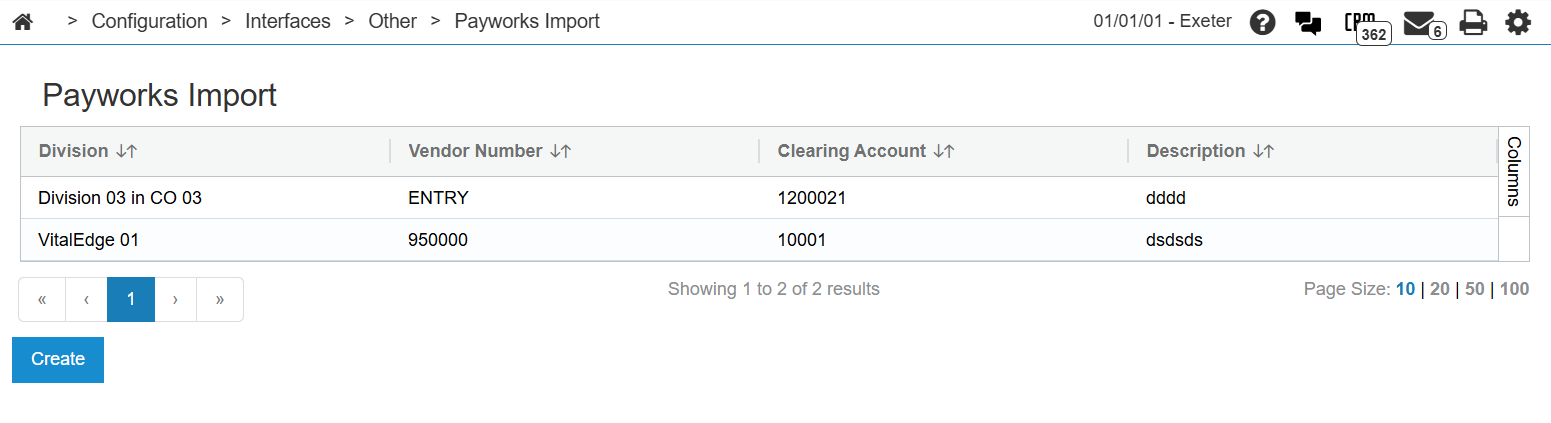
The fields on the Payworks Import screen are:
| Field | Description |
|---|---|
| Division | The Division this configuration is applicable to. |
| Vendor Number | The vendor number to associate with the vouchers created by the import. |
| Clearing Account | Used if there are G/L accounts in the file provided by Payworks. |
| Description | The description applied to the line items in the voucher. |
Click Create to add a new configuration to the list. Click a line in the list to edit that configuration.
 An example of the Payworks Import .csv file
Account,Profit Center,Value,Desc,Customer Code
10400,01,-201836.87,test,0235071500
10400,01,201836.87,test,0235071500
10400,01,100.00,test,0235071500
10400,01,-100.00,test,0235071500