
Configuration: Freight
Use the Freight screen to specify which part numbers are used to bill freight and fuel surcharges on a parts ticket or sales requisition. If there are parts for multiple customers on the same parts ticket, the default distribution method determines how costs are distributed across the ticket.
Once the Freight screen and the Ship Via screen are configured (see Setting up FREIGHT and FUEL surcharges), the Add Freight screen appears when updating customer-ordered parts on a parts order.
To open the Freight screen, navigate to Configuration > Parts > General > Freight.
Topics in this section:
Setting up Freight Parameters for a Location
Setting up freight parameters allows you to specify the part numbers used to bill freight and fuel surcharges on the sales order and the default distribution method.
-
Navigate to Configuration > Parts > General > Freight.
-
Click Create to add freight parameters for a location, or click an existing row to edit it.
-
Fill in the fields referring to the table below.
-
When you have completed your updates, click Save & Close.
 The Freight listing screen displays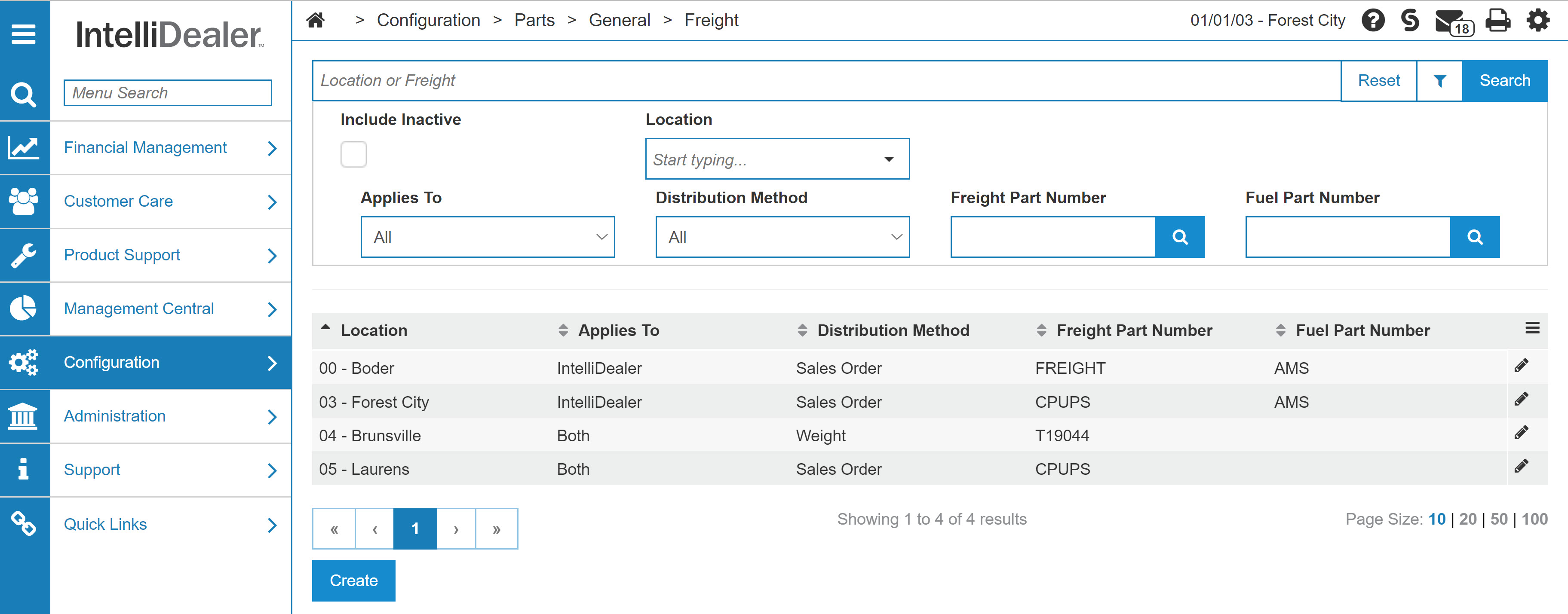
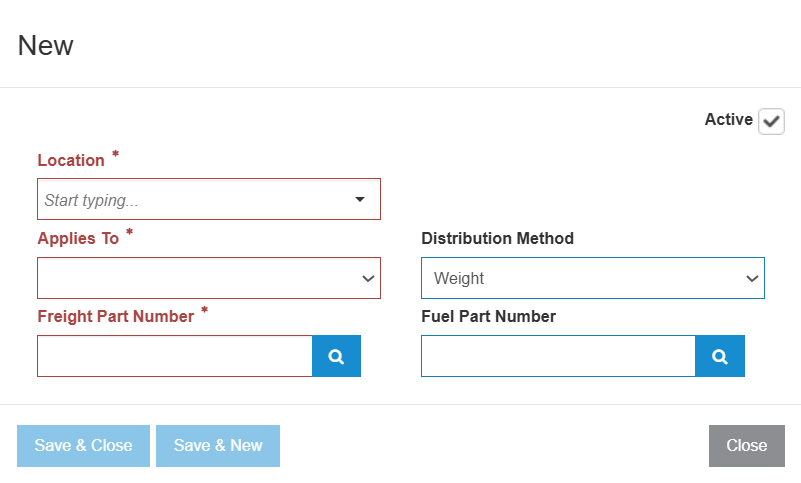
Note: The system validates that the Freight Part Number and Fuel Part Number are active part numbers at the location before saving.
Screen Description
The fields on the Freight screen are:
| Field | Description |
|---|---|
| Location | The location the configuration applies to. |
| Applies To |
Indicates which system the freight configuration applies to. Options are:
|
| Distribution Method |
The default distribution method used on the Add Freight screen. Options are Quantity, Line Items, Price, Sales Order, and Weight. |
| Freight Part Number |
The part number added to a parts ticket or sales requisition, representing the freight surcharge applied to the ticket or requisition (for example, FRTIN). Click the Search This part must first be added through the Parts Profile system. |
| Fuel Part Number |
An optional fuel surcharge part number added to a parts ticket or sales requisition, representing the fuel surcharge applied to the order or requisition (for example, FUEL). This part must first be added through the Parts Profile system. The Ship Via (Add & Edit) screen must have either a Fuel Surcharge % or Fuel Surcharge Amount for each shipping vendor configured to apply a fuel surcharge to an order or requisition. Click the Search |
| Active for System | If selected, indicates that the freight parameters are active for use within the system. |
 icon to search for a part number from the
 Use the search field and filters on the Freight screen to locate existing freight configurations by location, applies to value, distribution method, or part number.
Use these buttons to complete your work on the Freight screen:
| Button | Function |
|---|---|
| Save & Next | Saves changes made on the Freight screen and opens the next configuration. |
| Save & Close | Saves changes made on the Freight screen and returns to the Configuration Quick Links screen. |
| Copy | Copies this configuration to a new one that you can edit as required. |
| Close | Closes the Freight screen without saving and returns to the Configuration Quick Links screen. |