
Accounts Payable Outstanding Aged
These are the vouchers that have yet to be paid, categorized by how old the voucher is. Categories are current, 31-60 days, 61-90 days, 91-120 days, and over 120 days.
The reports produced when you run an Outstanding Aged report depend on the Aging By selection:
-
Due Date — AOABD86168 (formerly WFMOUST2)
-
Invoice Date — AOABI86519
The report can print in these layouts:
| Accounts Payable Outstanding (Aged) By Vendor |
| Accounts Payable Outstanding (Aged) By Due Date |
| Accounts Payable Outstanding (Aged) By Invoice Number |
| Accounts Payable Outstanding (Aged) By Vendor Name |
Topics in this section are:
Running a Financial A/P Outstanding Aged Report
-
Navigate to Financial Management > Accounts Payable > A/P Reports > Outstanding Aged.
-
Fill in the fields, referencing the table below.
-
Click the Run Report button to submit the financial A/P outstanding aged report.
 The Outstanding - Aged screen appears.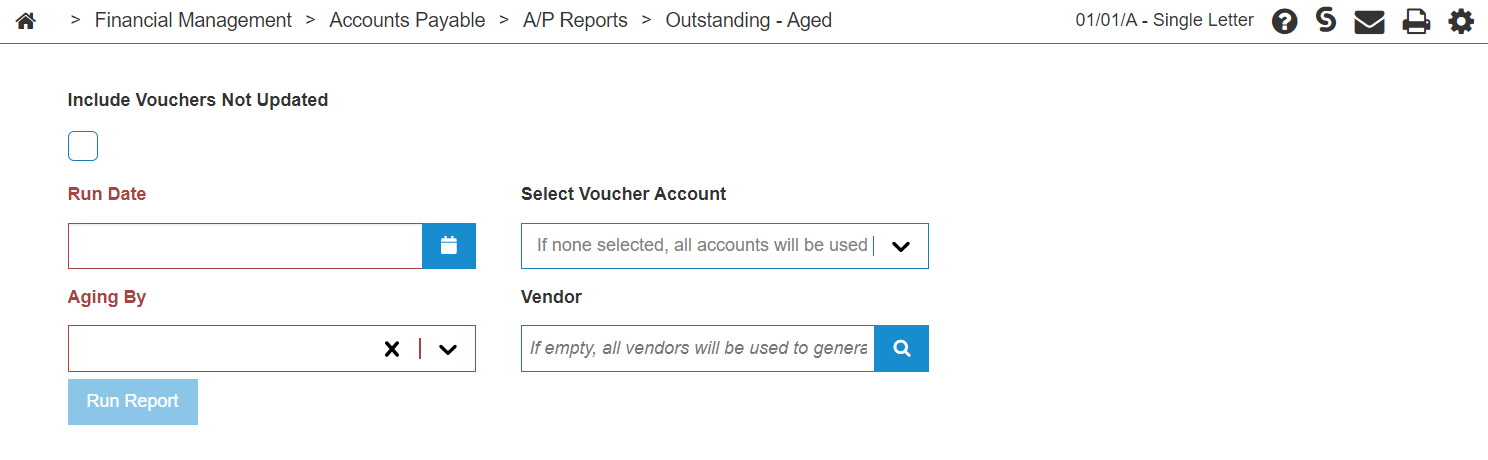
Screen Description
The fields on the Accounts Payable - Outstanding Aged screen are:
| Outstanding Aged | |
|---|---|
| Field | Description |
| Include Vouchers Not Updated | A checkbox toggle to include vouchers that have not been updated yet on the selected report. |
| A/P Next Month End Date | The date as of which posted vouchers are outstanding. |
| Aging By | Select whether vouchers are aged by Due Date or Invoice Date. |
| Select Voucher Account | Select a voucher payable account. |
| Vendor | The selected vendor included in the report. A report is generated for all vendors if this field is left blank. |
Click Run Report to use the selected criteria to generate the report.
Security: 601 - Accounts Payable, Other - Access A/P Reports
Revision 2026.08