
Configuration: John Deere Dealer Rewards
The John Deere Dealer Rewards interface transmits retail sales and service agreements for a customer loyalty rewards program. The interface runs as an automated nightly job.
To open this screen, navigate to Configuration > Interfaces > John Deere > Dealer Rewards.
Topics in this section are:
Configuration Tab
 John Deere Dealer Rewards configuration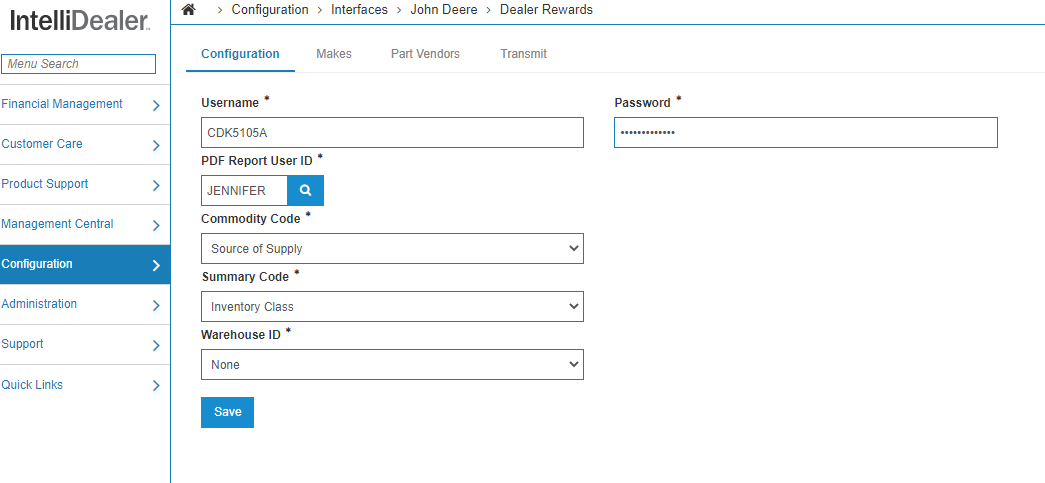
The fields on the Configuration tab contain general setup information:
| Field | Description |
|---|---|
| Username | Provided by MotivAction for dealers who wish to use the interface. |
| Password | |
| PDF Report User ID | The ID of the IntelliDealer user to receive the PDF report of any errors or issues that occurred during the nightly automated job. |
| Commodity Code | Optional. Links PARTPRC data to fields transmitted to MotivAction. Choose None too omit a mapping. |
| Summary Code | |
| Warehouse ID | |
| Nightly Transmit | Choose this option to transmit data every night. |
| Transmit Labor Performance | Choose this option to transmit labor performance once per month. |
Click Save to save the information on the configuration screen.
Makes Tab
Use the Makes tab to configure which makes are transmitted through the retail sales component of the interface. If no makes are configured, no information is transmitted.
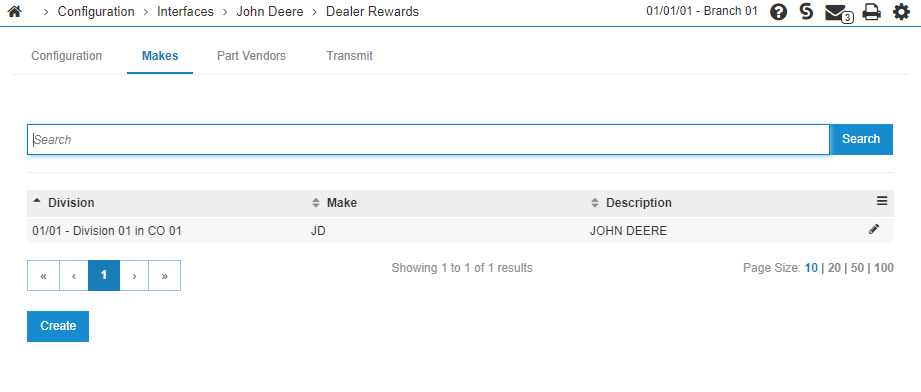
Click Create to add a new Make for a Division.
Parts Vendor Tab
Use the Part Vendor tab to choose which part vendors should be transmitted.
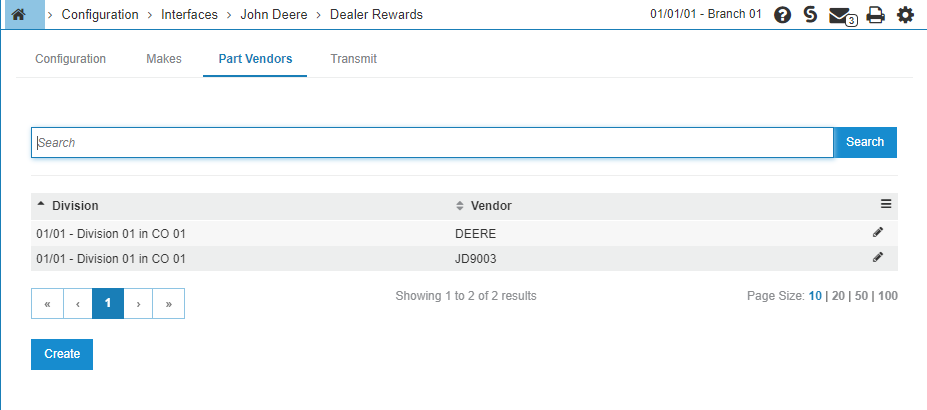
Click Create to add a new Vendor for a Division.
Transmit Tab
Use the Transmit tab to manually transmit data. A location can be provided to manually transmit for a specific date range, or leaving it blank transmits for all locations. The Nightly Transmit switch also determines whether or not the interface transmits nightly—leaving it unchecked means the interface only transmits information to MotivAction when a manual transmit is performed.
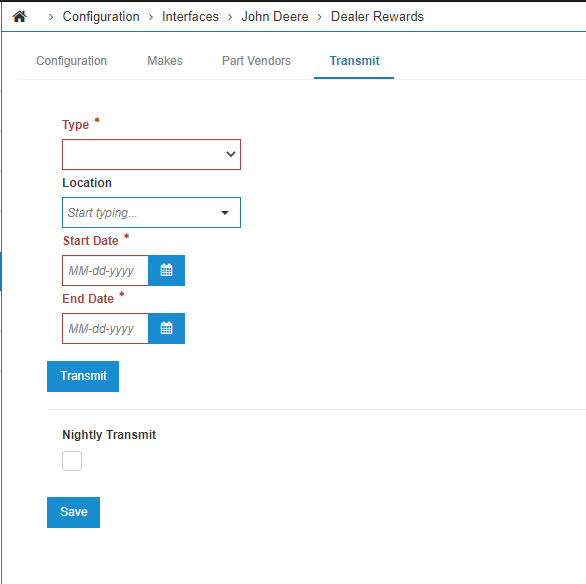
The fields on the Transmit tab are:
| Field | Description |
|---|---|
| Type | Use the drop-down to select the type of data to transmit. |
| Location | Specify the location to transmit data for. Or leave it blank to transmit data for all |
| Start Date End Date |
The date range to transmit data for. |
| Nightly Transmit |
Select this checkbox to have the interface transmit data nightly. If unchecked, the interface only transmits information to MotivAction when a manual transmit is performed. |
Click Save to save your change.
Click Transmit to manually transmit data.
Labor Performance Tab
Use the Labor Performance tab to manually transmit labor performance information. You can provide a date range, or leave the date ranges blank to transmit data for the previous month.
Work Orders Tab
Use the Work Orders tab to specify the types of work orders to transmit.
Post-Requisite
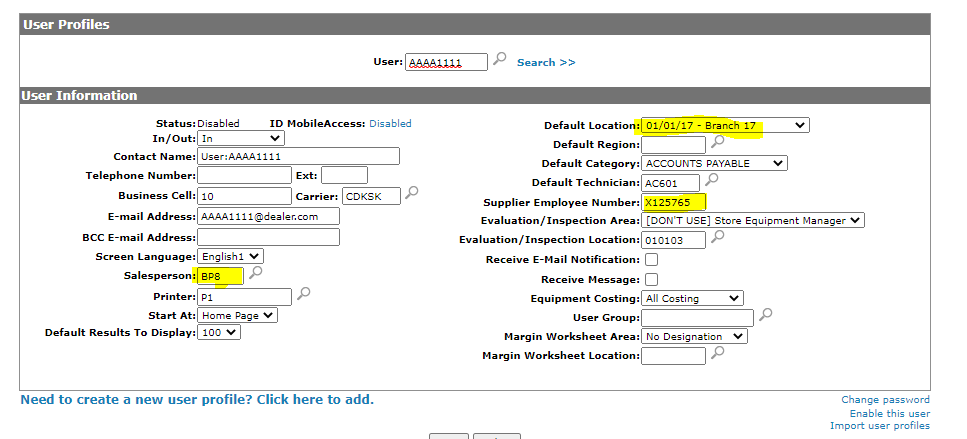
The final configuration step relates to the RACF ID which is transmitted as part of the Dealer Rewards integration. Under Administration > Settings > User Profiles a link between the IntelliDealer salesperson ID and the John Deere RACF ID can be configured using the Supplier Employee Number field.
-
The Labor Performance portion attempts to match the Default Technician for a specific default Location to a Supplier Employee Number.
-
The Retail Sales portion attempts to match a Salesperson (highlighted) for a specific default Location (highlighted) to a Supplier Employee Number (highlighted). In this example, when the interface has a retail sale for location 01/01/17 for salesperson BP8, it chooses X125765 as the corresponding RACF ID.