Setting up a Payment Schedule
Prerequisites: Before you can set up automatic payments on multiple invoices you must first create a new cash receipt.
-
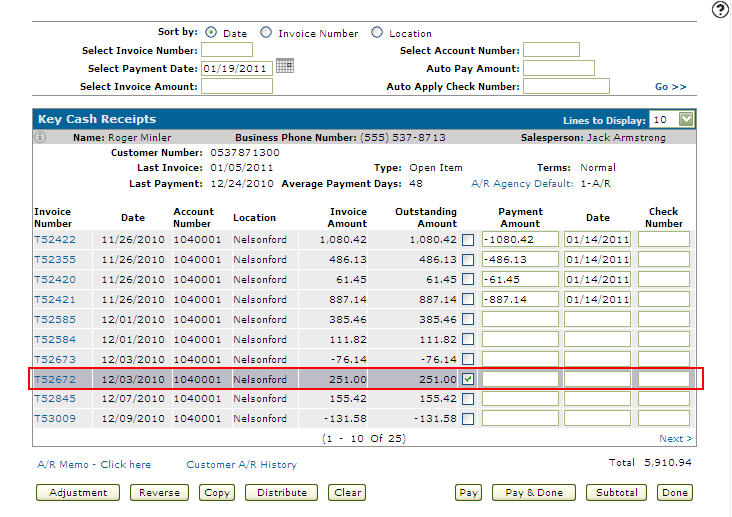
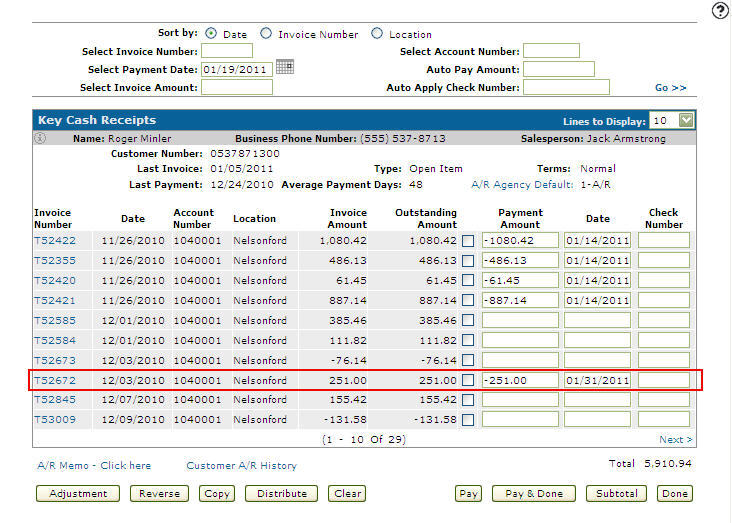
From on the Key Cash Receipts screen select an invoice you wish to distribute across multiple invoices by selecting the corresponding checkbox.
-
Click the Distribute button.
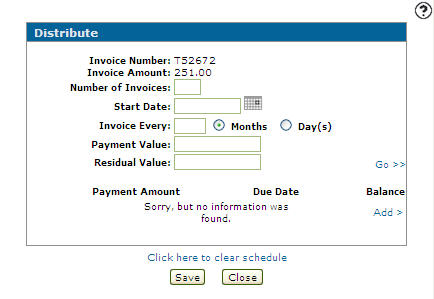
The Distribute screen appears.
-
Enter the Number of Invoices you wish to use to pay the total Invoice Amount.
-
Enter a Start Date when the first invoice is due to be paid.
- or -
Click on the Calendar icon and select a Start Date from the Calendar screen. -
Indicate the period of time between invoice due dates by entering an Invoice Every value and selecting months or days.
-
Indicate an equal Payment Value for each invoice.
-
Indicate the amount of the last invoice (the remaining amount) in the Residual Value field.
-
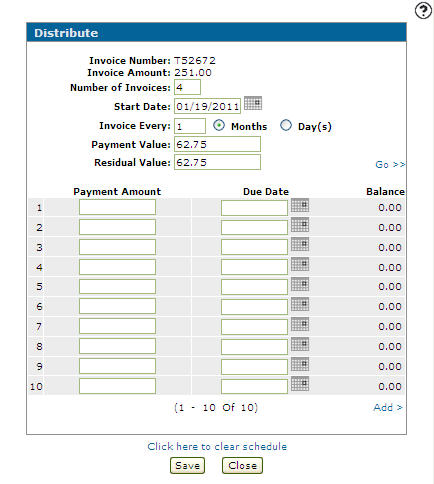
Click Add >.
The Distribute screen refreshes to allow you to fill out a payment schedule.
-
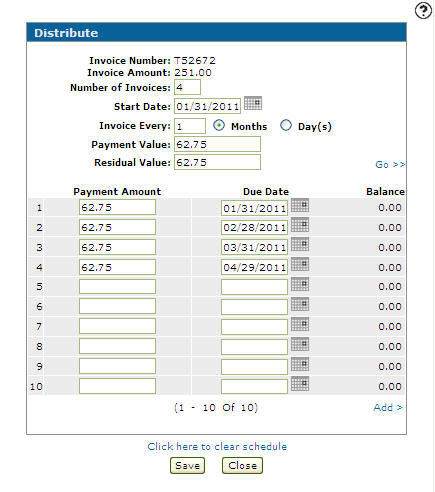
Enter a Payment Amount and Due Date based on the information in the fields above for each invoice used to pay of the total invoice amount.
-
Click the Save button.
The Key Cash Receipts screen appears indicating that the Payment Amount is paid and list the first payment date in the Date field.
 Key Cash Receipts screen