
Changing the Stock Number on an Equipment Profile with the Status "On Order" or "Presold"
The status of a unit in its Equipment Profile is also part of the Purchase Order system. Note that units that have a Customer Number set go through the status flow of Pre-Sold, Sold, then Invoiced. If the Customer Number has a type of Internal, then the status flow goes Pre-Sold then Rental.
Note: The stock number cannot be changed if there is any Equipment History on the stock number.
Enable the Change
-
Navigate to Configuration > Miscellaneous > Other > System Settings and select the Division tab.
-
Scroll down to the Equipment section, and select the Change Status 'On Order' And 'Presold' Stock Numbers in Equipment Profile checkbox.

-
Click Save Changes.
Renaming Stock Numbers
This example uses the On Order status as an example, but the same logic applies to units with a status of Presold.
-
Change the status of the unit from On Order to Inventory.
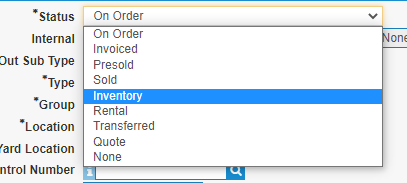
The stock number can now be renamed, as show by the pencil icon.

-
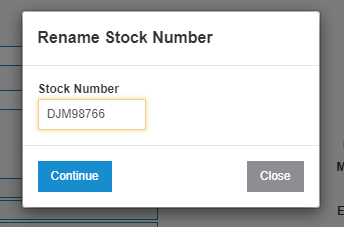
Click the pencil icon to open the Rename modal and enter a new stock number into the Stock Number field. Click Continue.
-
If necessary, you can now place the unit back to On Order status and save it.
Revision: 2024.07