
Job Code: Add Ons
Use the Add Ons tab to add an add on to an existing job code.
The Add Ons tab is accessed from the Job Code Details screen by clicking the Update/View Profile link.
 Add Ons tab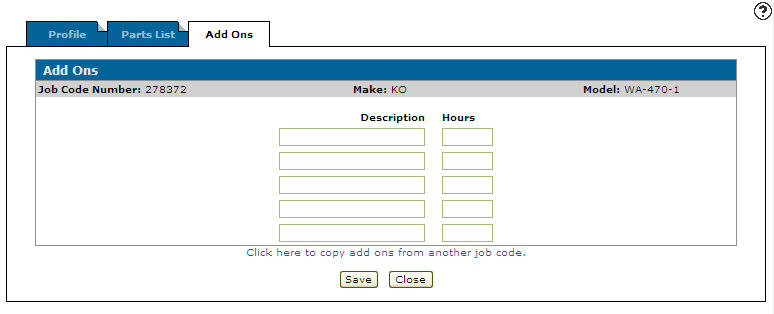
Information fields on the Add Ons tab are:
| Information | |
|---|---|
| Field | Description |
| Job Code | The job code number. |
| Make | The manufacturer of the unit. |
| Model | The unit model code that the job code number applies. |
Fields on the Add Ons tab are:
| Field | Description |
|---|---|
| Description | A brief description of the add on. |
| Hours | The total number of labor hours that should be spent performing this repair. |
Click the Click here to copy add ons from another job code link to copy add ons from an existing job code.
Buttons on the Add Ons tab are:
| Button | Description |
|---|---|
| Save | Saves changes made to the Add Ons tab. |
| Close | Closes the Add Ons tab without saving and returns to the Job Code Details screen. |