John Deere eCommerce: Imposition Parts
An Imposition Part represents a tax or fee being charged to the customer. It can be used to represent Canadian taxes.
The Imposition Parts tab requires imposition part numbers to be configured for all locations that receive John Deere eCommerce orders with impositions (taxes and fees) that are not remitted by John Deere. Currently all tax impositions are remitted by John Deere for US dealers, but impositions for fees such as tire and battery recycling may be required in future. All Canadian dealers using the John Deere eCommerce interface must have imposition parts configured, as Canadian taxes are not remitted by John Deere.
On an invoice, Imposition Parts show as positive (part number FEE in the example).
To open the Imposition Parts screen, navigate to Configuration > Interfaces > John Deere > eCommerce and select the Imposition Parts tab.
 An example invoice showing Promotion and Imposition Parts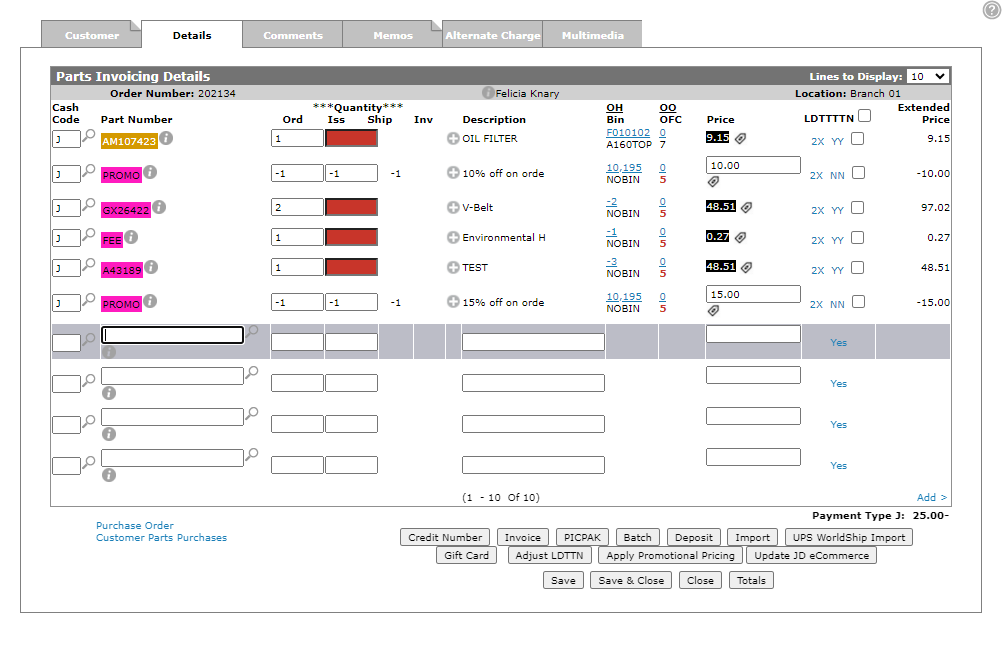
The tabs on the Imposition Parts screen are:
Default Imposition Parts sub-tab
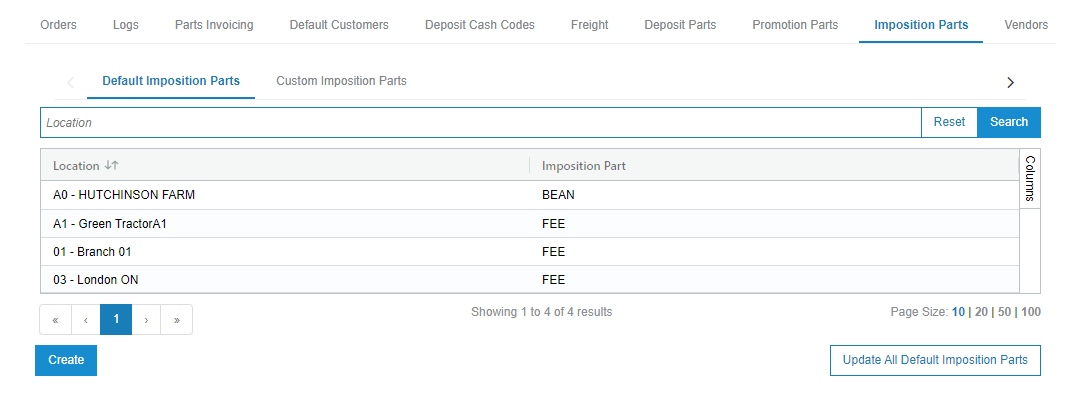
Use the Default Imposition Parts tab to configure a default part, for each location, for all possible imposition types. It is mandatory to have a default configured to process impositions that are not remitted by John Deere.
To add a default imposition part for all locations:
Prerequisites: You should have already configured an imposition part number. See Parts Listing.
-
Navigate to Configuration > Interfaces > John Deere > eCommerce and select the Imposition Parts tab.
The Imposition Parts tab opens to the Default Imposition Parts sub-tab.
-
Click the Update All Default Imposition Parts button.
-
Enter the part number you wish to configure for all locations and click Update.
The imposition part is updated for all locations where the provided part exists.
Custom Imposition Parts sub-tab
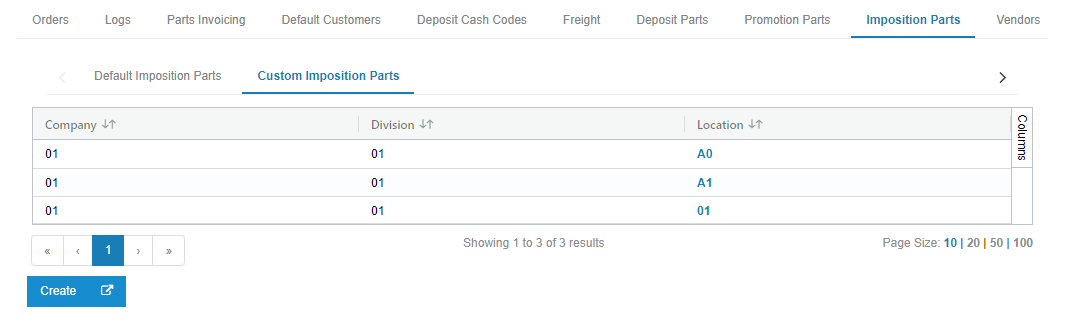
Use the Custom Imposition Parts sub-tab to configure special part numbers for specific imposition types.
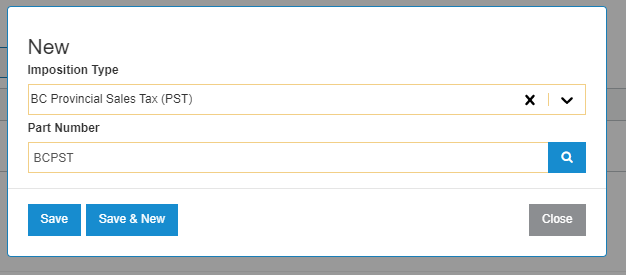
In the example below, when a BC Provincial Sales Tax (PST) imposition is received from John Deere on an order for location B1, the part number BCPST is used to post the imposition amount to the parts invoice created by the interface. If BC Provincial Sales Tax (PST) was not configured for location B1, the interface would instead fall back to the Default Imposition Part configured for location B1 on the Default Imposition Parts sub-tab.
To add custom imposition parts configuration for a new location:
Prerequisites: You should have already configured an imposition part number. See Parts Listing.
-
While on the Imposition Parts tab, click the Custom Imposition Parts sub-tab.
-
Click Create.
-
Select the location from the Location drop-down then click Save to start the configuration process.
You now have the option to create a new imposition part mapping by clicking Create.
-
Click Create and on the pop-up select an Imposition Type and Part Number from the drop down list.
-
Click Save.