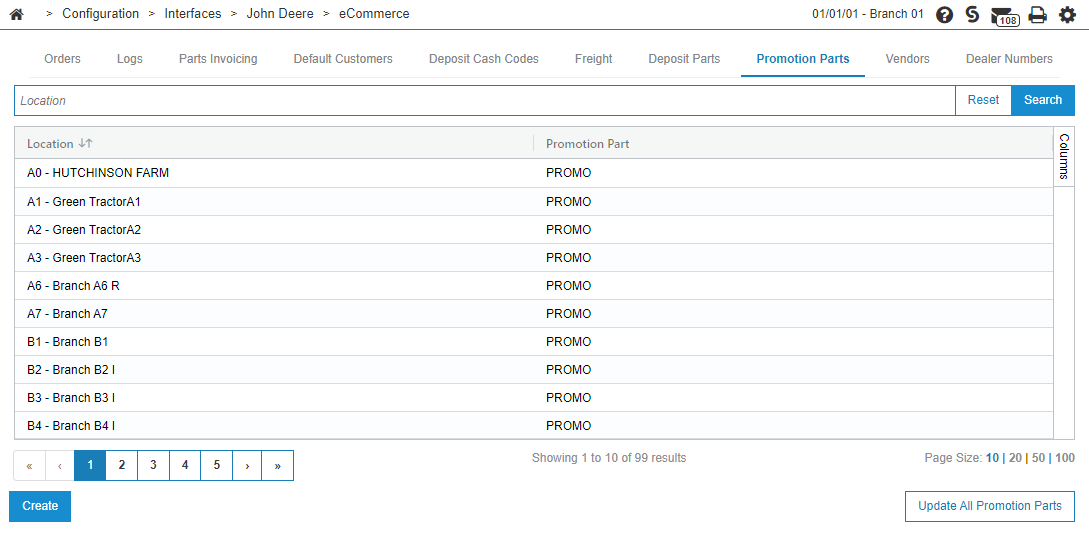
John Deere eCommerce: Promotion Parts
A Promotion Part represents a discount as part of a promotion from John Deere. The Promotion Parts tab requires a promotion part number to be configured for all locations that receive John Deere eCommerce orders.
On an invoice, Promotion Parts show as negative (part number PROMO, listed twice in the example).
To open the Promotion Parts screen, navigate to Configuration > Interfaces > John Deere > eCommerce and select the Promotion Parts tab.
 An example invoice showing Promotion and Imposition Parts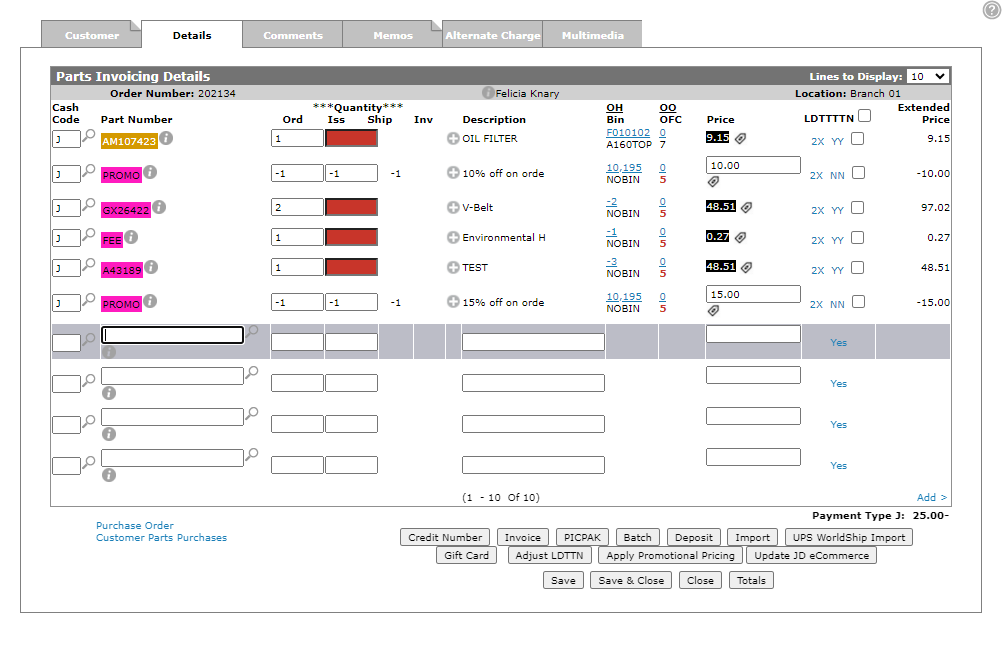
To update all promotion parts at once:
Prerequisites: You should have already configured a promotion part and it should be set as Tax Exempt. See Parts Listing.
-
Navigate to Configuration > Interfaces > John Deere > eCommerce and select the Promotion Parts tab.
-
Click Update All Promotion Parts.
-
Enter the part number you wish to configure for all locations and click Update to begin the update.
The promotion part is updated for all locations where the provided part exists.