
PO History
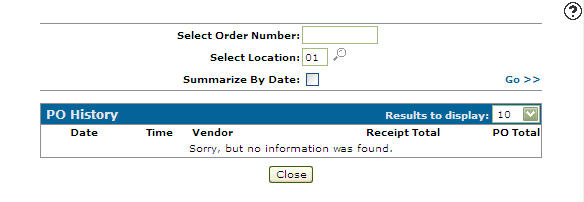
The PO History screen displays information according to these scenarios:
-
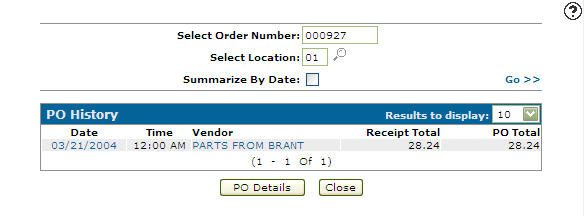
If the purchase order number corresponds to a receipted status purchase order from the purchase order system, receipt information is displayed.
-
If the purchase order number does not correspond to a receipted status purchase order from the purchase order system, parts purchase order summary information is displayed.
You can access the PO History screen from the Parts Ordering screen by hovering over the Ordering Options link and selecting Order History from the drop down list.
Topics in this section are:
Viewing Parts Order History
-
Navigate to Product Support > Parts > Parts Ordering .
-
Move the cursor over the Ordering Options link and select Order History from the pop-up menu.
-
Fill out the appropriate fields and click Go >> .
-
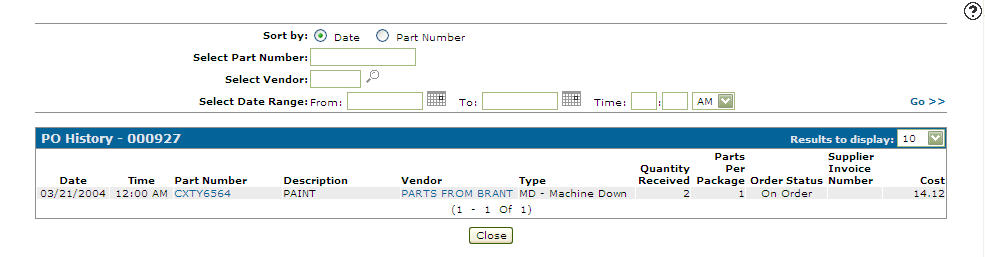
Click the Date link or the PO Details button.
The returned information displays the details of the purchase order, including date, part number and quantity order type and status, cost, and any applicable supplier invoice number.
 The
The 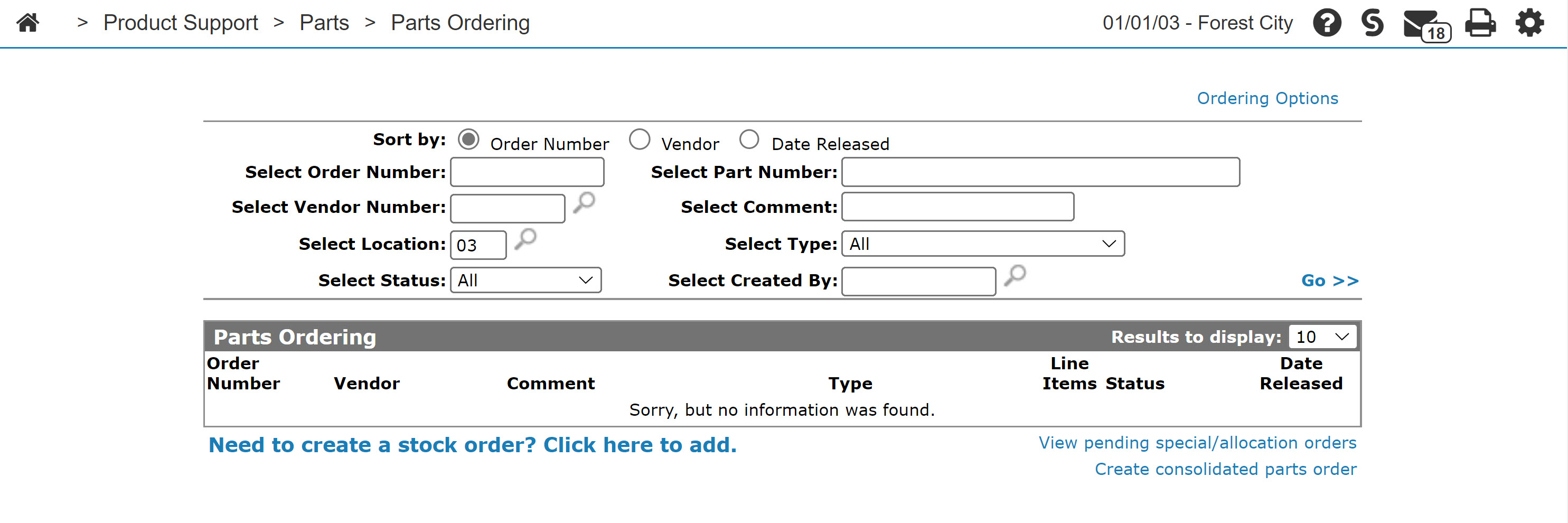
Screen Description
The search fields on the PO History screen are:
| Field | Description |
|---|---|
| Select Order Number | Search for PO history by entering an order number. |
| Select Location | Search for PO history by entering a location. |
| Summarize by Date | If selected, creates a single summary line grouping the purchased order receipts by date of receipt. |
The fields on the PO History screen are:
| Field | Description |
|---|---|
| Date | The date the purchase order was receipted. |
| Time |
The time the purchase order was receipted. If the Summarize by Date checkbox is selected the Time field does not appear. |
| Vendor | The vendor name. |
| Receipt Total | The purchase order receipt total. |
| PO Total | The purchase order total. |
Click on a Date to open the PO History - Details screen.
Click on a Vendor to open the Vendor Profile screen.
Use these buttons to complete your work on the PO History screen:
| Button | Function |
|---|---|
| Prints a copy of the PO history report PARPOHIS01. | |
| PO Details | Opens the PO History screen. |
| Close | Closes the PO History screen and returns to the Parts Ordering screen. |
Security: 821 Product Support - Parts Ordering
Revision: 2025.01